30
User manual:
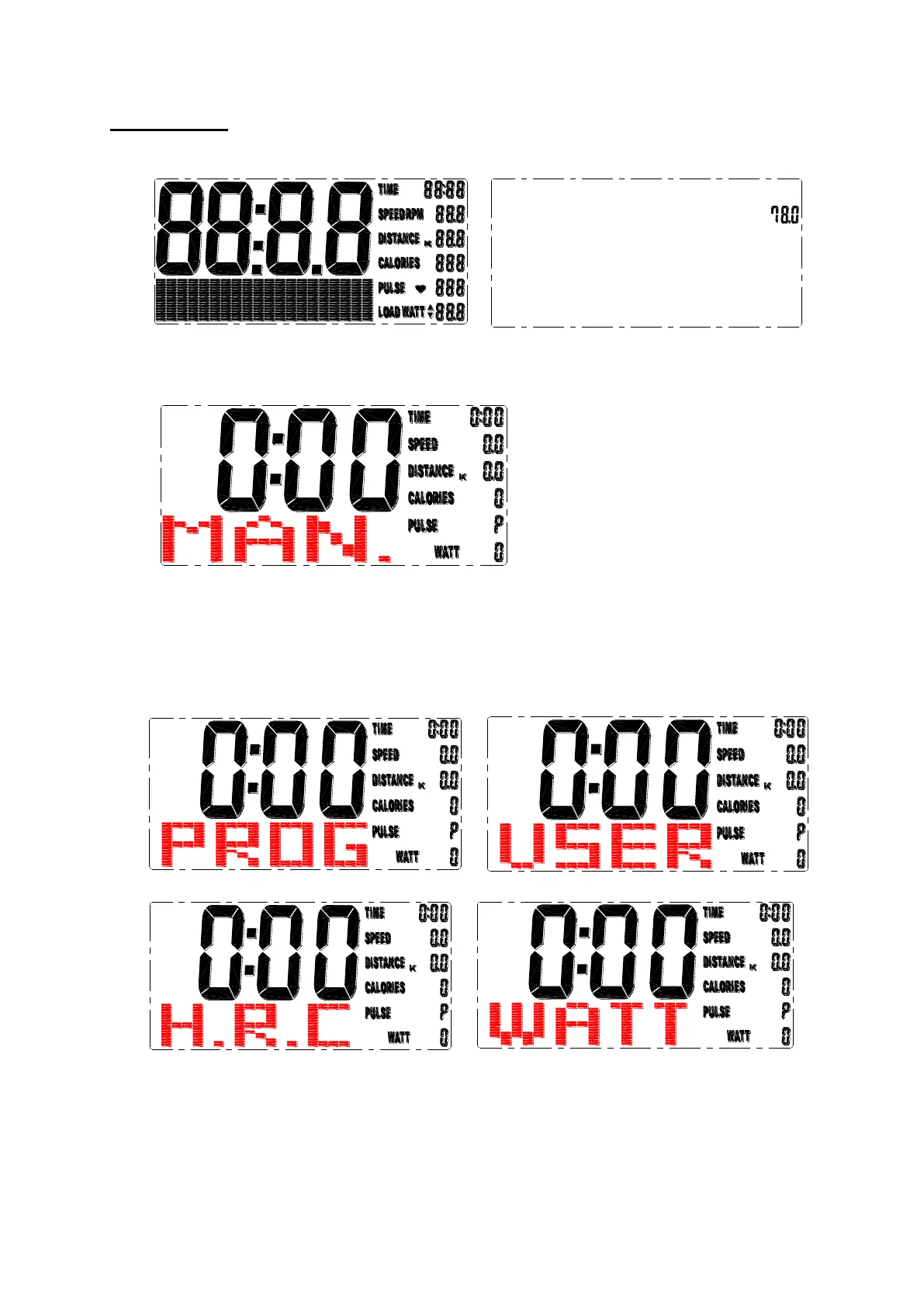
1. When you turn on, the LCD is shown for 2 seconds with bip noise. (drawing 1),
and show diameter of flywheel (drawing 2).
drawing 1 drawing 2
2. Preset user data from user 1 until 4 (SEX, WEIGHT, HEIGHT and AGE).
Screen goes to standby .
drawing 3
3. Manual blink during standby, (drawing 3) you can press UP and DOWN to
choose training method MANUAL / PROGRAM / USER PROGRAM / H.R.C. /
WATT (drawing 4-7) and press MODE to confirm. Screen chooses MANUAL
mode for training without user selecting any program.
drawing 4 drawing 5
drawing 6 drawing 7


 To Next Page