31
4. Traning i PROGRAM-mode:
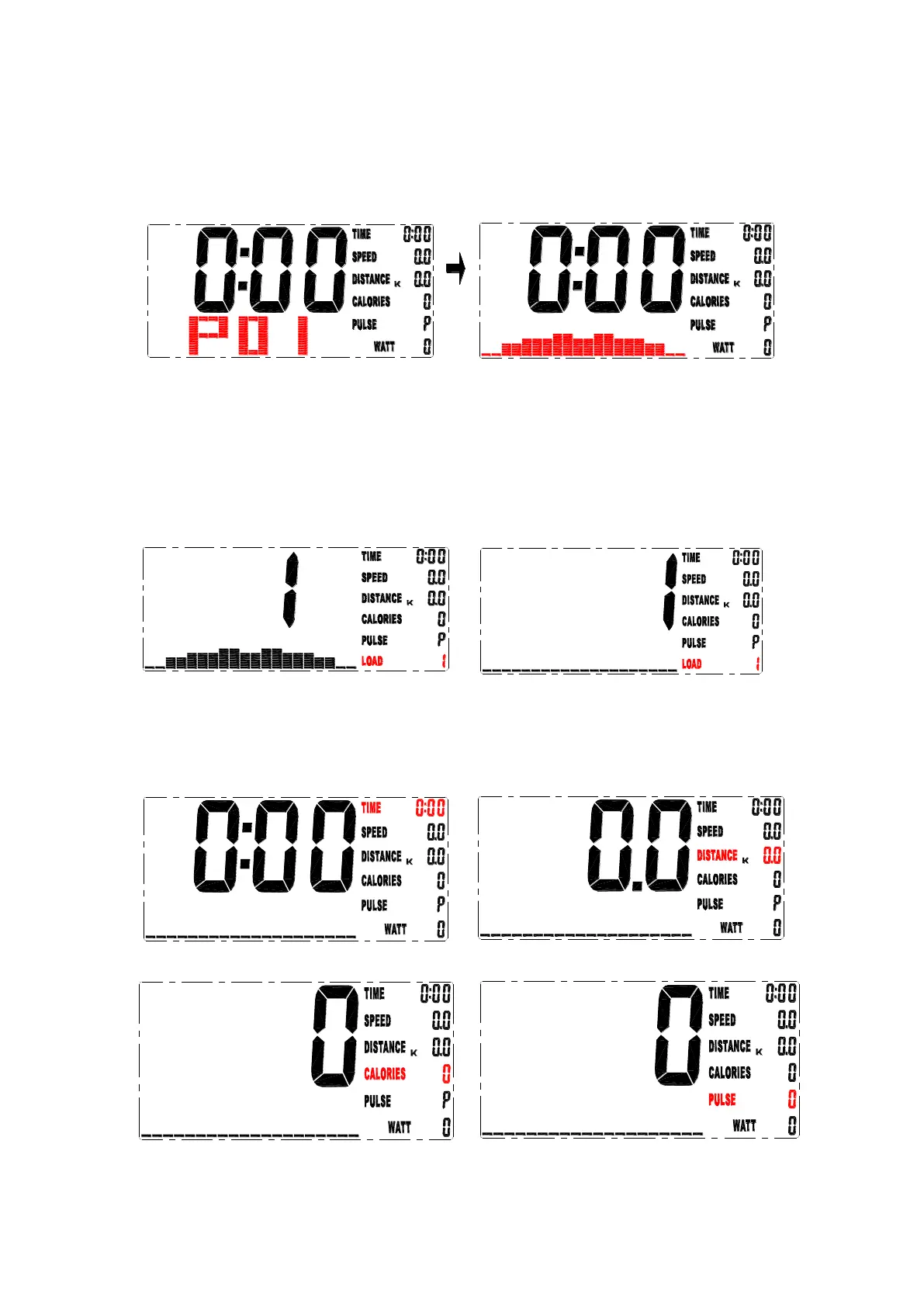
4-1 in PROGRAM-mode, press UP/DOWN-button to select between program
P01,P02,P03..-P12, chosen program will be shown in screen for 2 seconds,
then program profile. (drawing 8-9).
drawing 8 drawing 9
4-2 LOAD 1 (preset value) flashes after exercise program is selected, you can
press the UP / DOWN button to select level from 1 to 16 and the MODE button
for confirmation. (drawing 10)
Resistance level can be adjusted during training.
5. Traning in MANUAL mode
5-1 in MANUAL mode, press UP/DOWN-button to choose level of resistance
from 1 until 16. Pre set level is 1. (drawing 11)
drawing 10 drawing 11
5-2 After level of resistance is chosen, you can set values for TIME,
DISTANCE, CALORIES and PULSE using UP/DOWN-button and use MODE
to confirm. (drawing 12-15)
5-3 Start workout by pressing START-button.
drawing12 drawing 13
drawing 14 drawing 15


 To Next Page