2-12 Chapter2
BE6
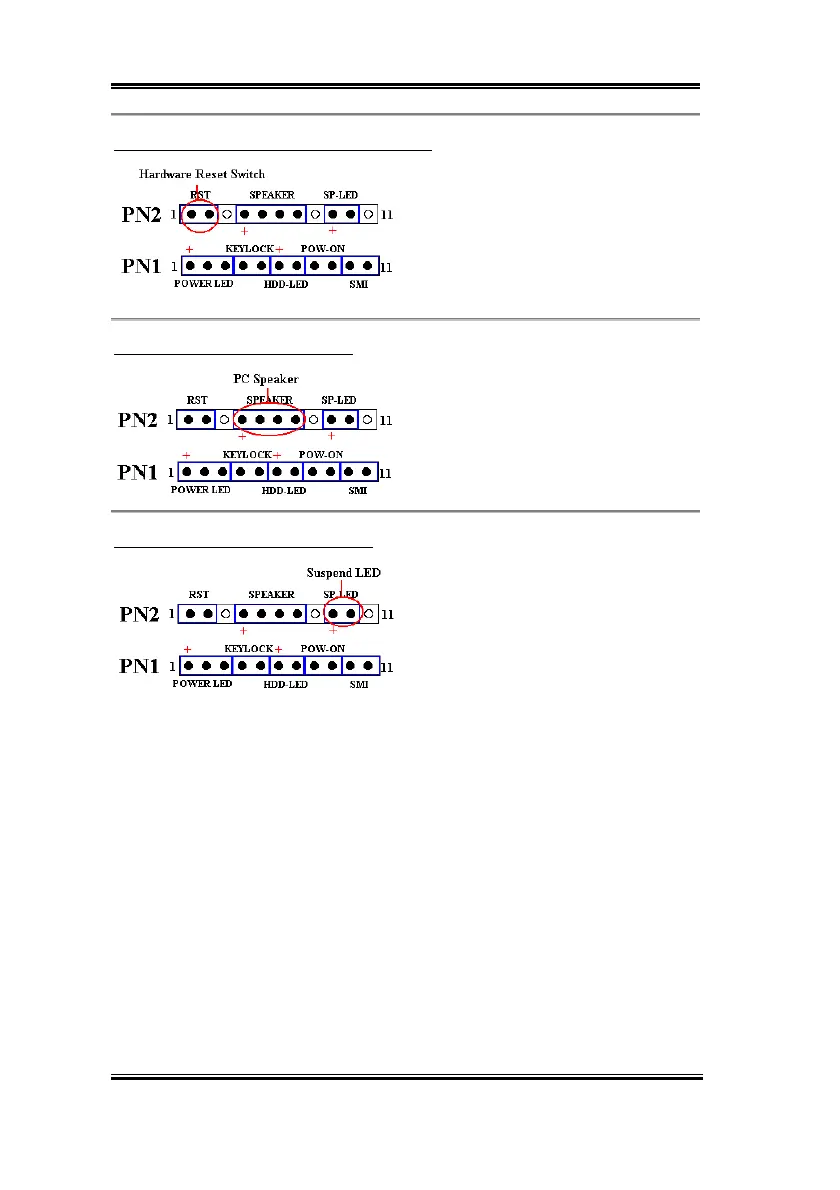
PN2 (Pin 1-2): Hardware Reset Switch Header
Attach the cable from the case’s front panel
Reset switch to this header. Press and hold
the reset button for at least one second to
reset the system.
PN2 (Pin 4-5-6-7): Speaker Header
Attach the cable from the system speaker to
this header.
PN2 (Pin 9-10): Suspend LED Header
Insert the two-threaded suspend LED cable
into pin 9 and pin 10. If you install it in the
wrong direction, the LED light will not
illuminate correctly.
Note:
Watch the HDD LED pin position and the orientation.
For the PN1 and PN2 pin’s count-name list, please refer to table 2-2.



 To Next Page