Install HighPoint XStore Pro Utility B-3
User’s Manual
This CD-ROM (Or floppy diskette) has the HighPoint XStore Pro drivers. (Version 1.2) The
following procedure describes how to install the HighPoint XStore to your system. If you
have a floppy diskette but not the CD-ROM, just insert the diskette and run the
Setup.exe
file to start installation.
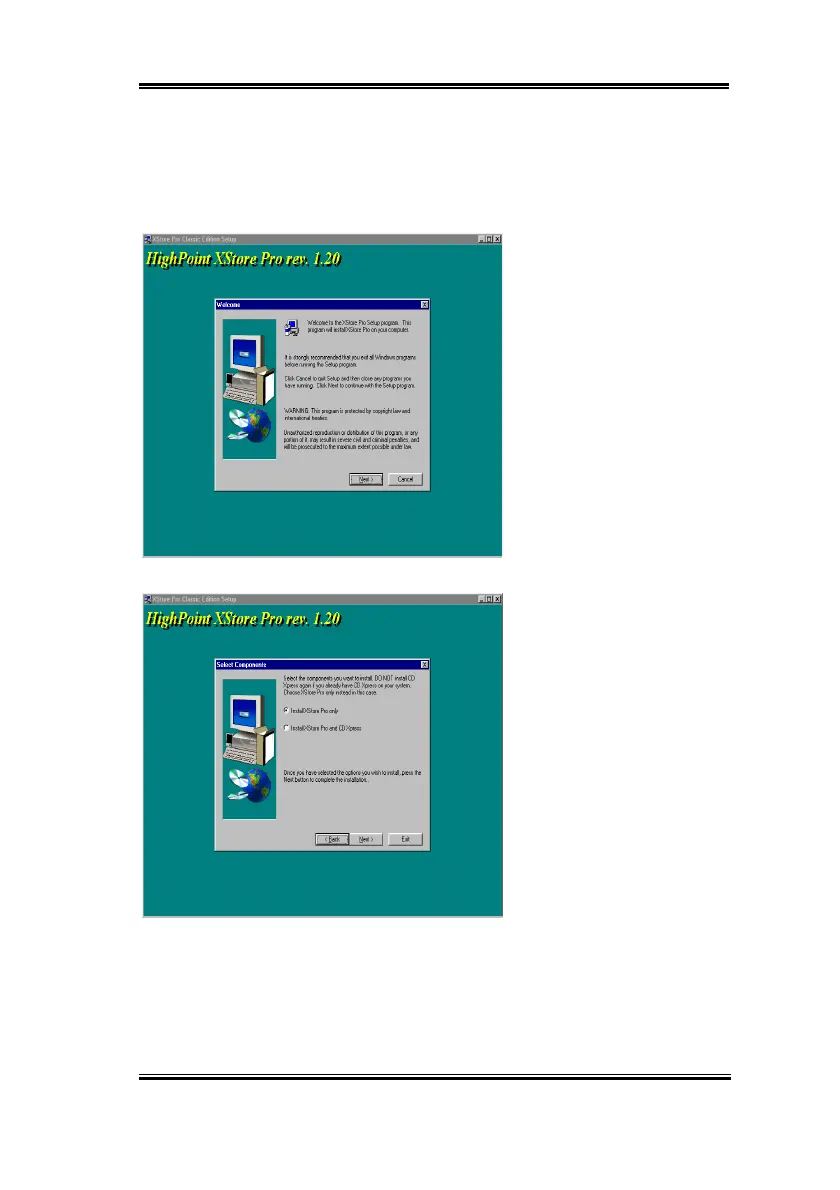
Step 1:
In Windows
®
95/98,
place the CD-ROM into the
computer. The main menu will
show up. Click
the
HighPoint
XStore Pro Install
button, then
you will see the XStore Pro
installer is preparing the
InstallShield
®
Wizard. When it
is done, the
Welco me
screen will
show up.
Step 2:
Press the “Next” key,
you will see the screen below.
You then need to choose
whether you want to install
XStore Pro only, or if you want
to install both XStore Pro and
CD Xpress. Press the “Next”
key to continue.



 To Next Page