User Operation Guide
TURNING ON AND BASIC OPERATION CONTROL
2
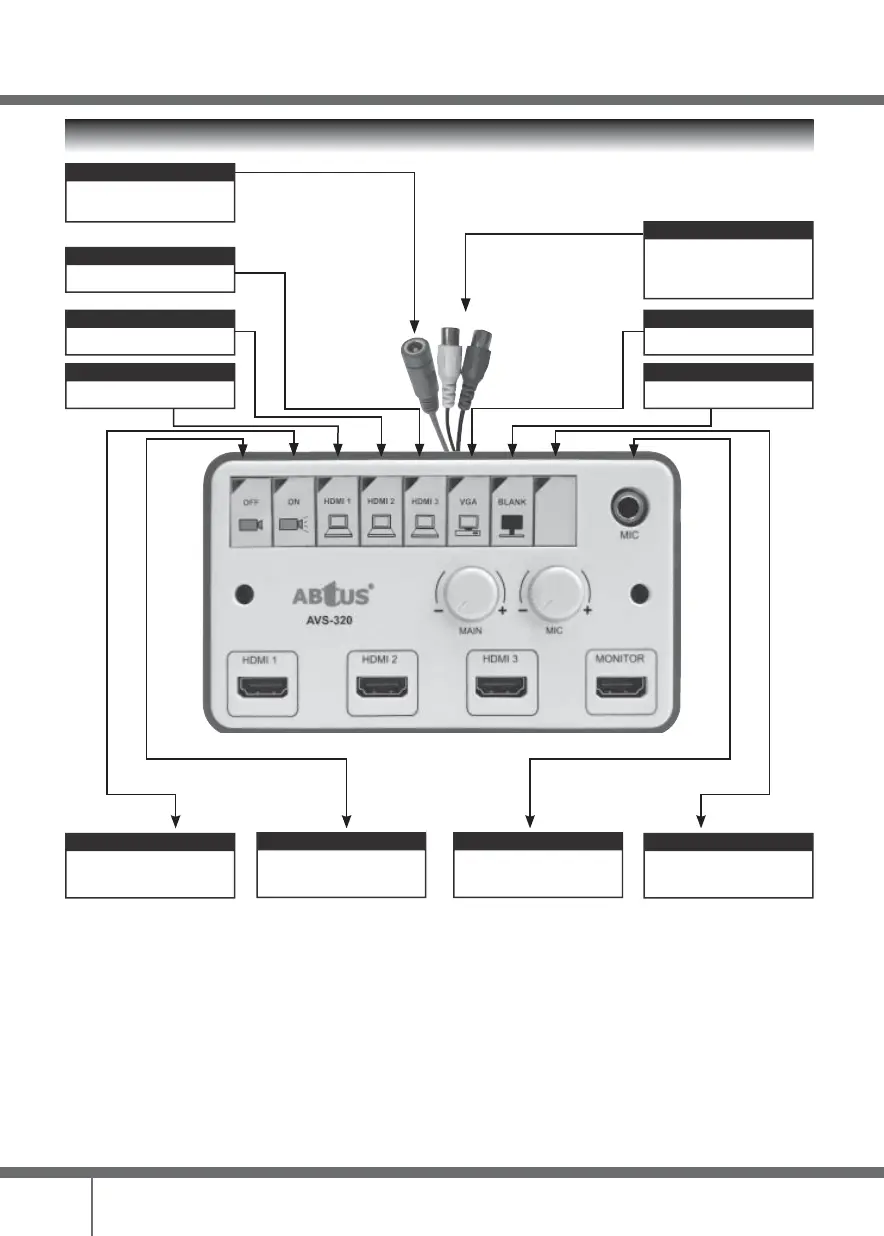
HDMI-2
Switch to HDMI 2
HDMI-3
Switch to HDMI 3
DC Input
Connect to a 12V 1A DC
Adaptor
Power OFF Button
Press to turn projector power
OFF. LED will blink and stay On
after “cool down time”
HDMI-1
Switch to HDMI 1
VGA
Switch to VGA
Main Audio Output
Connected from “Audio In” of the
Multimedia Speaker System to
2RCA pigtail cable
MIC IN
Connect to 6.3mm Mic-jack
PICTURE BLANK
Blank / Unblank projector screen
Reserved Button
No function (reserved)
Power ON Button
Press to turn projector power
ON. LED will blink and stay On
after “warm up time”



 To Next Page