Installation
44 | EN
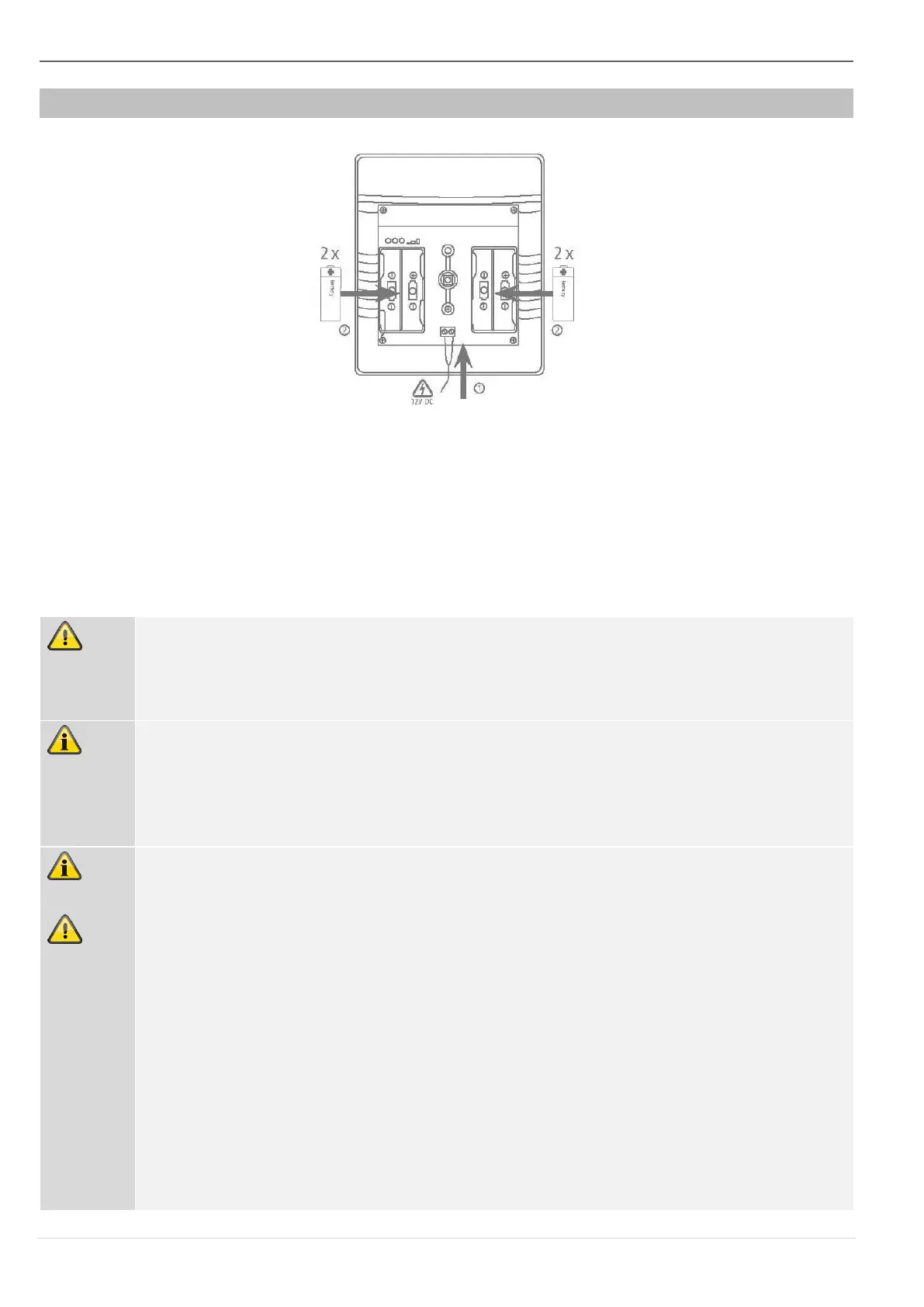
Step 4a: Power supply
Image 4
• Establish the power supply. Either with 4 x 1.5 V batteries or batteries and a power supply
unit. Make sure the batteries and power supply unit cables are connected with the correct
polarity.
• Remove the isolation divider from any inserted batteries.
• Then insert the power supply unit into the socket.
If connected to an external power supply, the sounder must also always be operated
with batteries. The sounder will then continue using the batteries as a backup power
supply in the event of a power failure.
If the red and yellow LEDs flash alternately immediately after displaying the software
version, this indicates a battery power supply fault.
• No batteries have been inserted
• Or the batteries have a voltage < 4,4 V (normal batter voltage is 6 V)
The power supply connection determines the sounder’s operating mode.
Operating modes: Power supply unit operation or battery operation
The sounder detects the power supply unit or battery operation immediately when it
is switched on.
• If the sounder is switched on without an external power supply unit, it is in
battery operation mode and does not report an external PSU fault.
If the power supply unit is added later, the sounder remains in battery
operation mode.
• If the sounder is switched on with an external power supply unit, it is in PSU
mode. If the power supply unit is removed later or it supplies no voltage due to
a malfunction, a PSU fault is reported and signalled to the alarm panel.


 To Next Page