16
7. Installation
Proceed as follows when installing the camera.
1. Select a suitable place to mount the camera.
2. Connect the video cable (recommended cable type: RG59) to the BNC video out (1) of the
camera and to the following connected video unit. The maximum cable length should not
exceed 200 m.
3. Connect a 12V DC power supply to the power input of the camera (2).
4. Hold the camera at the location where you want to mount it. Check the orientation and
angle of the camera.
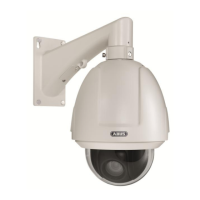
5. Fasten the supplied wall or ceiling mount (4) to the desired installation location and screw the
mount into the camera housing (3).
6. Change the orientation of the camera holder if necessary by slightly loosening the
grooved fixing cylinder (5) and changing the position as required.
Then tighten the fixing cylinder so that the camera remains in the desired position.



 To Next Page