16
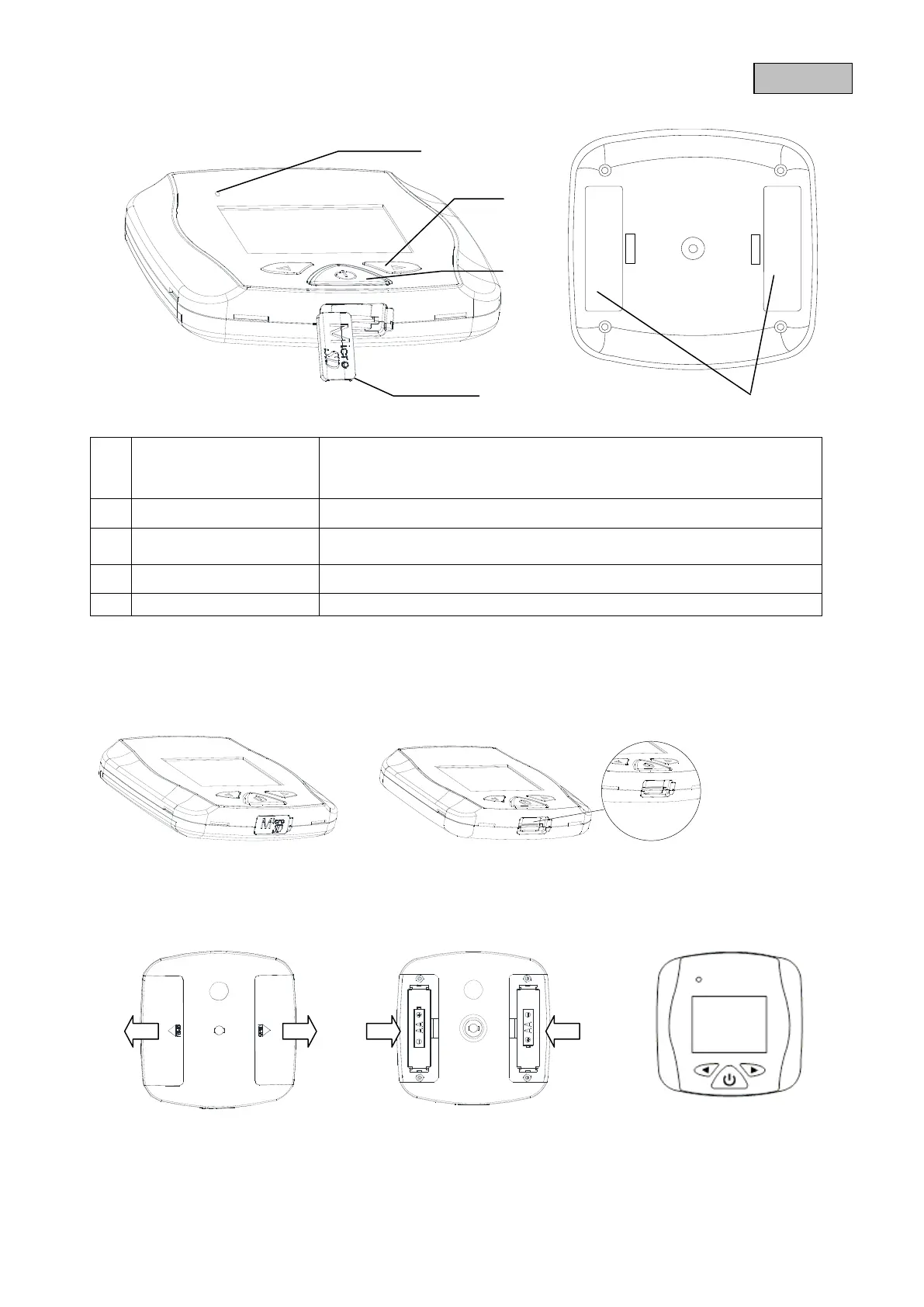
4. Device description
5. Installation
5.1 Inserting a micro SD card
1. Open the rubber cover.
2. Insert a micro SD card.
5.2 Inserting the batteries
4. First remove the battery covers.
5. Insert two AA batteries. Make sure the polarity is correct when you do this.
6. Change the batteries as soon as you get the information on the display.
Light, illumination
No light
Device switched on
Device switched off
Navigate between recordings
Switch on monitor
Zoom function
Slot for using a micro SD card with a max. capacity of 32 GB



 To Next Page