121
10.3.6 Basic event
Menu item Description Available in mode
Motion Detection
Settings for motion detection Advanced
Configuration
Video Tampering
Settings for video tampering Advanced
Configuration
Alarm Input
Setting for the alarm input Advanced
Configuration
Alarm Output
Setting for the alarm output Advanced
Configuration
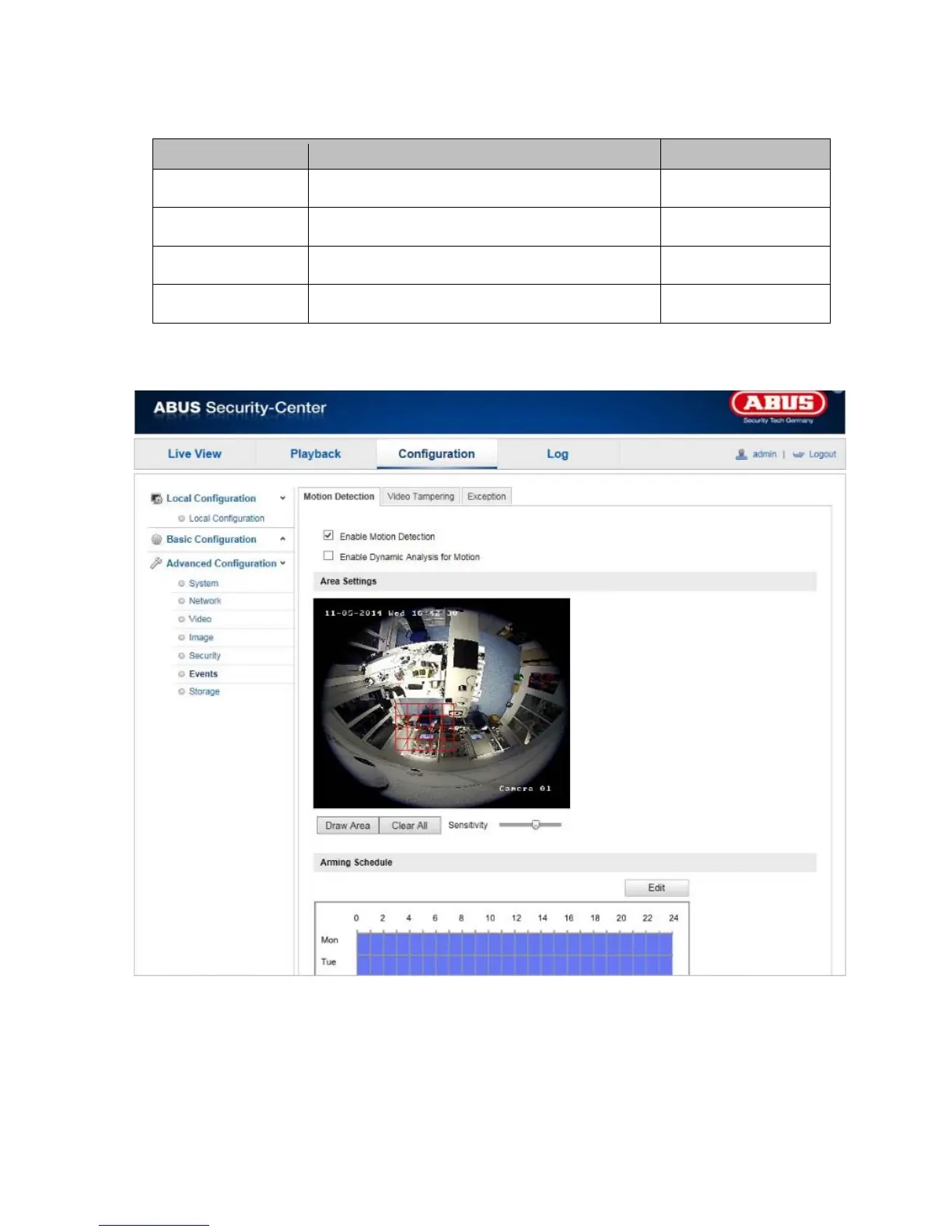
10.3.6.1 Motion detection
Area Settings
Activate motion detection by clicking the 'Enable Motion Detection' checkbox.
Clicking 'Enable Dynamic Analysis for Motion' means that movements are recorded in the preview image and
the live view (dynamic recording according to motion).



 To Next Page