
 Need help?
Do you have a question about the ACASIS DT-3608 and is the answer not in the manual?
Lists the items included in the ACASIS DT-3608 package, such as the enclosure, USB cable, user manual, and power adapter.
Highlights key capabilities including RAID function, hot swap support, USB 3.0 speed, and OS compatibility.
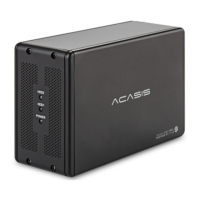
Details product name, model, material, color, interface type (SATA/USB 3.0), and physical dimensions.
Explains RAID 0 mode for striping data across drives to increase performance and capacity.
Details RAID 1 mode for mirroring data, enhancing data redundancy and protection.
Describes SPAN mode, which combines the capacity of multiple drives into a single large volume.
Covers JBOD (Just a Bunch Of Disks) mode, presenting drives as independent volumes.
Provides essential information on initializing new/disassembled hard disks and resetting RAID modes.
Outlines compatibility with 3.5-inch SATA HDDs, SSDs, and requirements for 2.5-inch drives.
 General
| Model | DT-3608 |
|---|---|
| Material | Aluminum |
| Interface | USB 3.0 |
| Supported Drive Size | 3.5 inch |
| Supported Drive Type | SATA HDD/SSD |
| Number of Bays | 8 |
| Transfer Rate | Up to 5Gbps |
| Power Supply | External Power Adapter |
| Operating System Compatibility | Windows, macOS, Linux |
| Type | Enclosure |
| RAID Modes | RAID 0, 1, 5, 10, JBOD |

 To Next Page