www.acasis.com
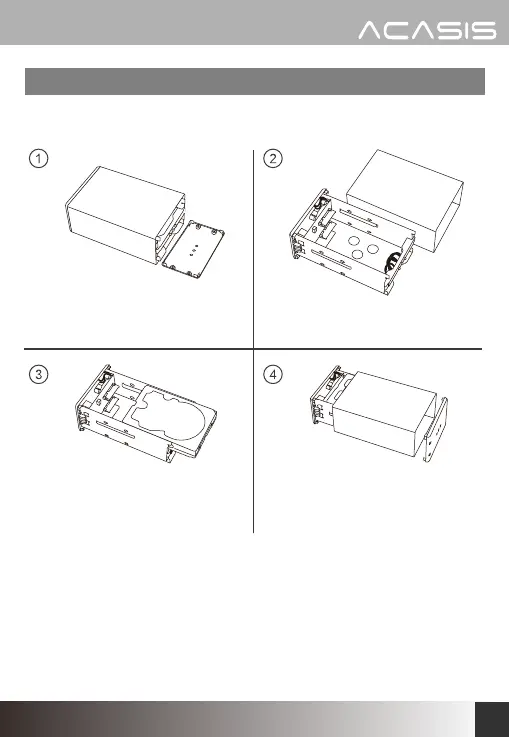
3. Align the hard disk with the
SATA slot, then slide it into
the slot and fix it
Installation:
1. Open the front cover of the
hard disk enclosure
2. Take out the built-in plate
4. Insert the plate with
installed hard disks into the
shell, and fix the front cover
to complete the installation
3


 To Next Page