5
7. Thunderbolt 3 Authentication
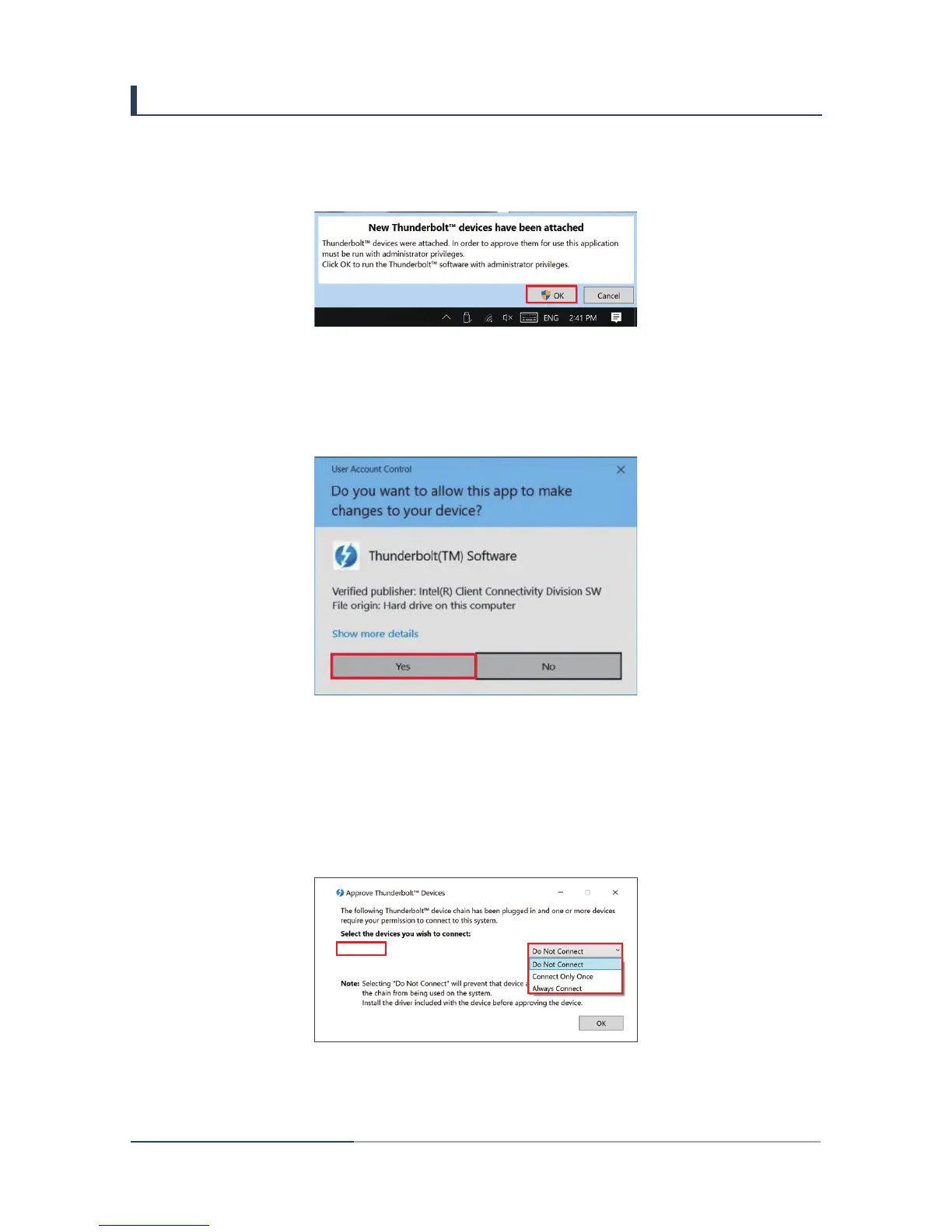
1. When a new Thunderbolt
TM
device is connected, the message will show up at bottom
right corner. Click “OK”.
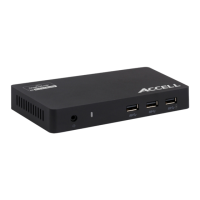
2. After Click “OK”, the following message will show up asking if user allow this app to
make change to the computer. Click “Yes”.
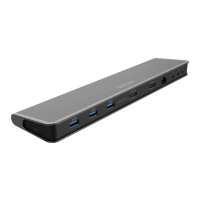
3. User should see the following window after clicking “Yes” in previous window. Make sure
the connected device is “XXX, Thunderbolt 3 Dock”.
4. Click drop down menu and select “Always Connect”.
1.


 To Next Page