10
Getting started.
Welcome to AccessNexTV, an innovative solution for TV viewing. This guide will
walk you through the various features and functions available when watching TV
on your mobile device, or other media player. Let’s get started!
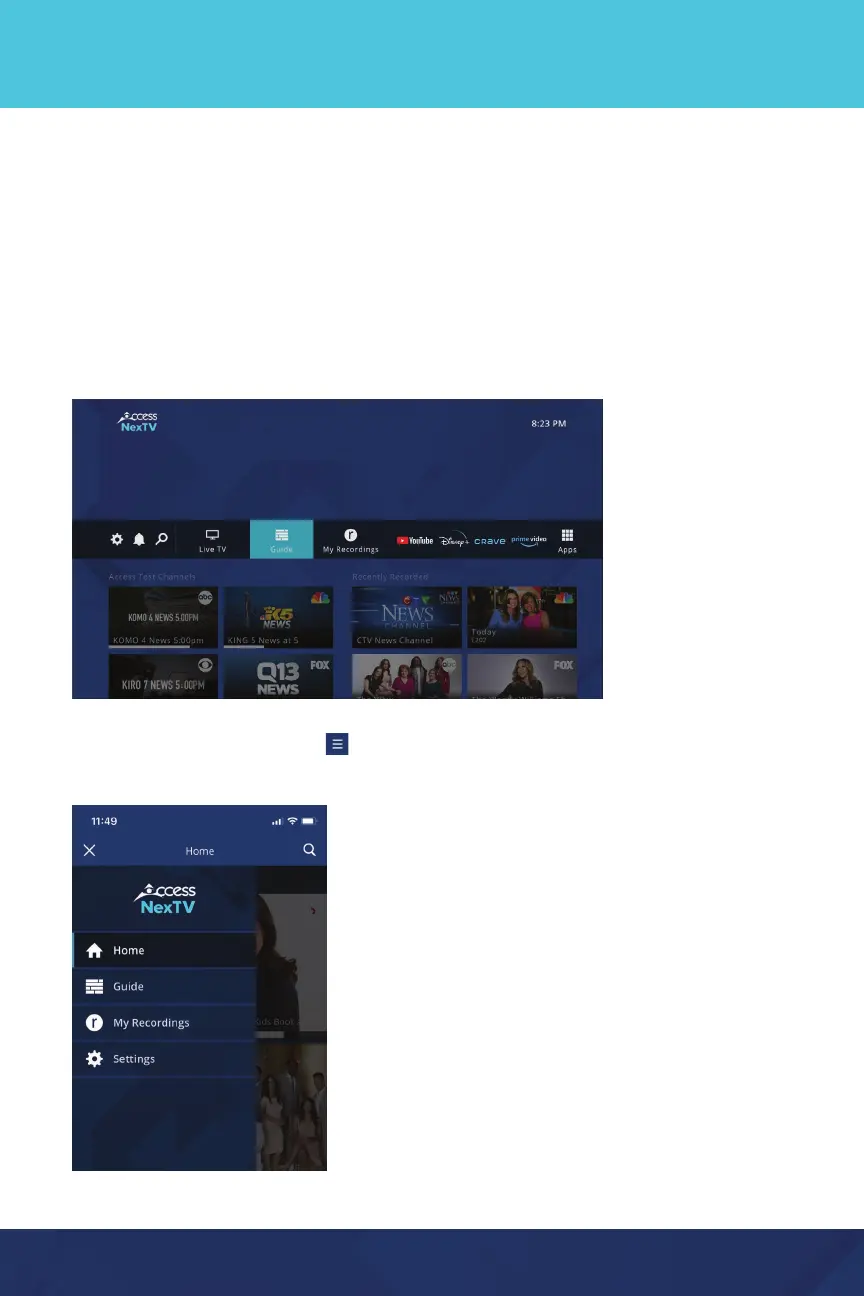
Home Screen
On your media player, everything you need to get started with your
AccessNexTV experience can be found on the home screen, including viewing
options and settings to customize your experience. You can get back to the Home
screen any time by pressing the “Home” or “back” button on your remote.
On a mobile device, tap the
icon in the upper left corner to see the
Home menu.


 To Next Page