11
Getting started.
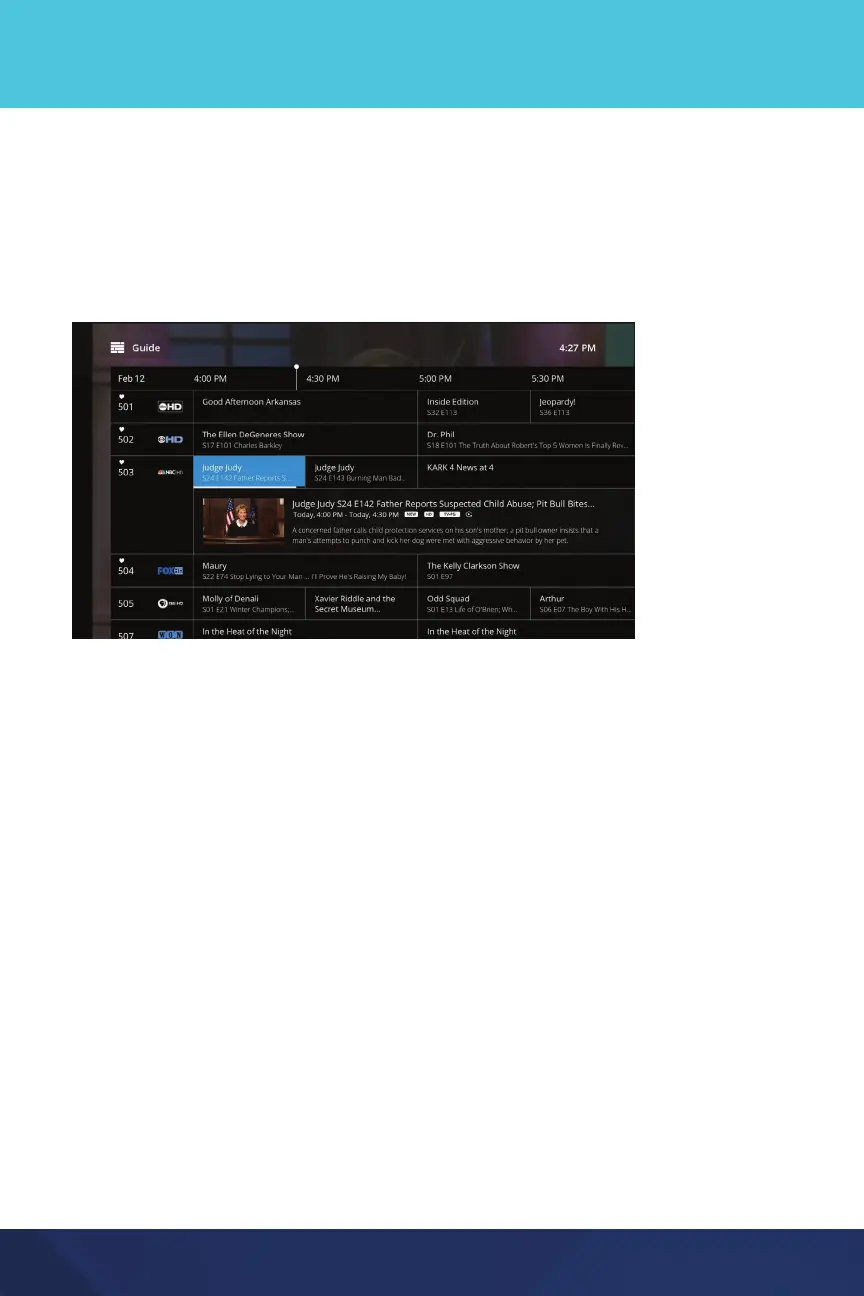
Guide
The Guide lists current and upcoming shows in channel number order. To select
a show, use the OK or Select button on your remote or, if watching on a mobile
device, tap on the show. When selecting a show with a future start time you will
see the option to record.
Customize your Guide with filters. You may filter the Guide by Favorites, HD
networks, and/or only show channels that are included in your video service
subscription.
Media Player: Simply scroll left through the Guide until the Filters window
appears, then activate your preferred Filters.
Mobile Device: From the Guide, click on Filter Channels in the top menu, and
then activate your preferred Filters by tapping on the slider button.
Watching Live TV
Start by selecting Live TV from the Home screen or select a show from the Guide.
Play Controls: Media Players
Access Play Controls within any live show by pressing the Select button on your
remote. Use the forward/backward buttons to navigate through the controls
including fast forward/rewind, Restart (when available), or pause.


 To Next Page