12
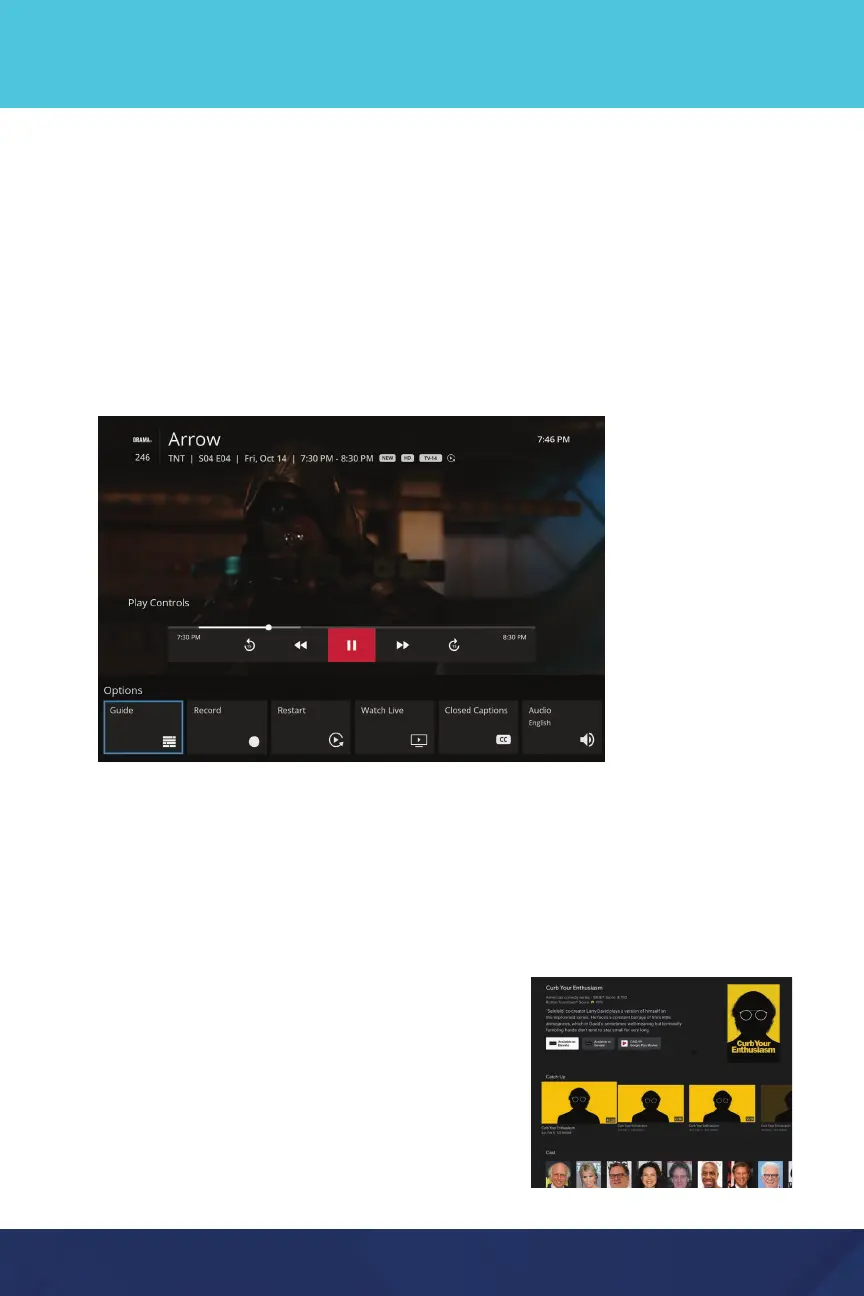
While watching any live show, press the Select or OK button on your remote,
then press the down button to access more options including:
• Guide - Takes you back to the channel listings
• Restart - Watch the current program from the beginning, up to 72
hours in the past (not available for every show or channel)
• Audio Options and Closed Captioning
Play Controls: Mobile Devices
Access Play Controls within any live show by tapping the screen once.
To pause, tap the Pause icon in the lower left of the play window.
For additional options, after tapping the screen, click the 3 dots in the upper
right corner to restart a program (when applicable) or access audio options.
Search
Select the Search icon from the menu bar on the
home screen to find shows and movies by title,
actor, topic and more. The search results will
display options for Live TV, Recorded and On
Demand content, as well as options to view on
apps like Disney+ or Prime Video.


 To Next Page