8
3. General Parts and Controls (continued)
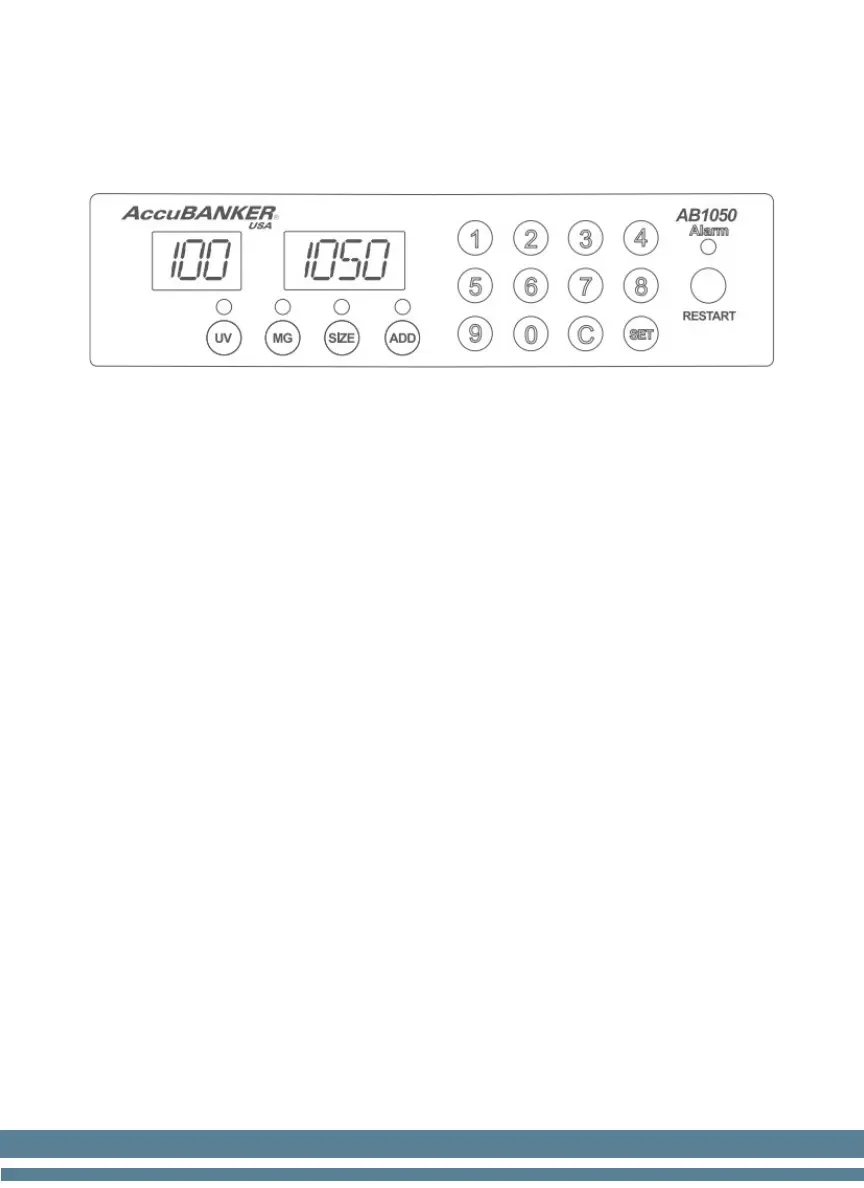
3.2 Control Panel
UV: Ultraviolet Detection function ON / OFF. (Optional function)
MG: Magnetic Ink Detection function ON/ OFF. (Optional function)
Size: Size Detection function ON/ Off (Width).
ADD: Adding function ON / OFF.
Counts all the bills placed on the hopper and adds them to the total counted
earlier. Removing the counted bills from the stacker will not reset the
counting quantity displayed on the screen.
Numeric Keys (0-9): Batch setting.
They are used for selecting the batching number.
C: Clear Key.
It is used to clear any old data from the screen as well as any Error Code.
Set: Set Up the UV and MG levels from 1-9 (1-Lowest & 9-Highest).
Restart: Resume the counting. Automatic/Manual Mode Activation
Alarm: Advise any error or abnormal condition.


 To Next Page