8
3. Equipment Overview (continued)
3.2 Control Panel Description (continued)
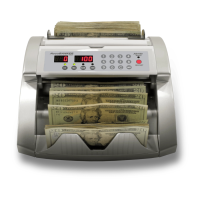
PRINT
Prints detailed count reports.
FACE/ORT
Organizes the bills FACE UP, FACE DOWN, LEFT, or RIGHT.
CURRENCY
Used to change the currency that will be counted.
ADD
Activates ADDING function.
TOTAL
Shows the TOTAL VALUE COUNT.
DISPLAY
Displays the breakdown details of the counting.
C
Erases data on the screen or erases error messages.
ACCEPT
Confirms any changes made to the “Configurations” screen as well as count
results.
START / STOP
Starts and stops counting operations.
SET
Enters the “Configurations” menu. Keep the key pressed down for 6 sec.


 To Next Page