7
3. Equipment Overview (continued)
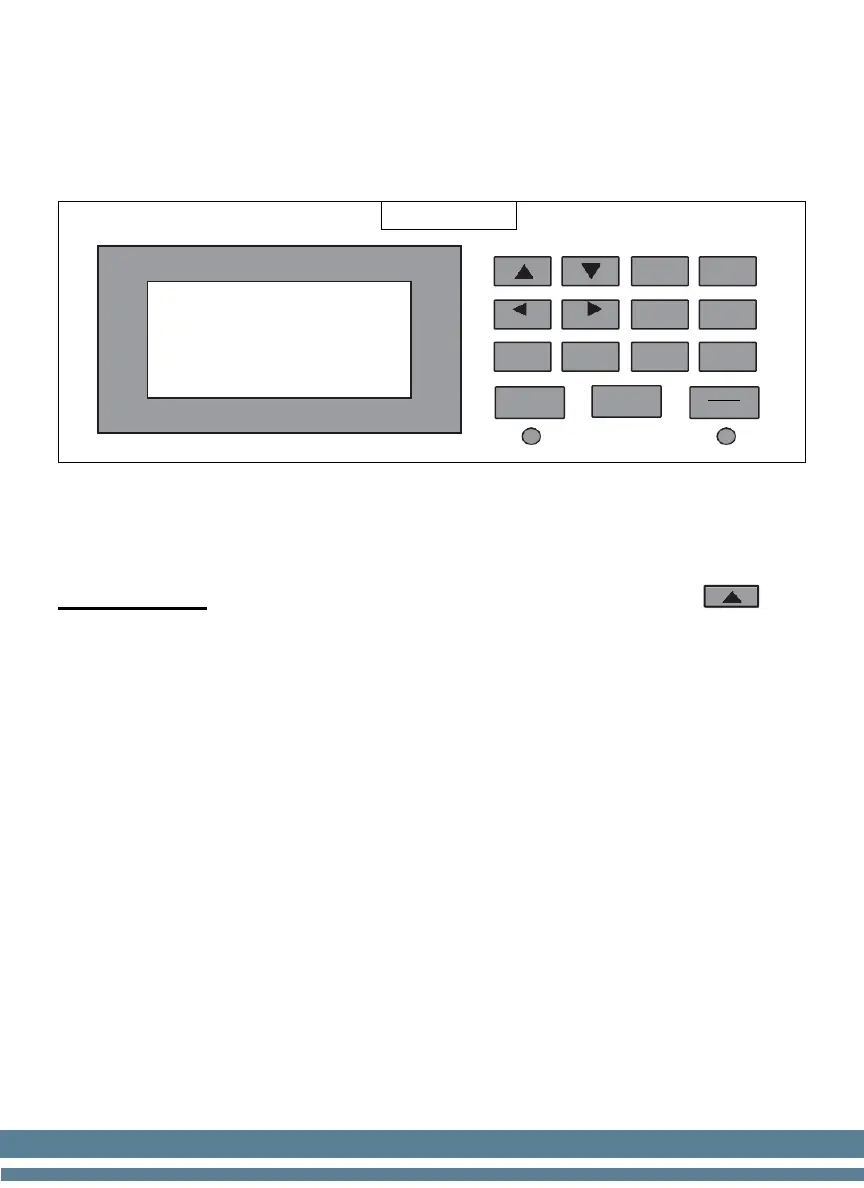
3.2 Control Panel Description
Up / Down / Left / Right BUTTONS
Used to move the cursor in the configuration menu.
IMPORTANT: When there are bills in the rejection pocket, press to
see why a bill was rejected. A rejection code will appear on the screen. For a
brief description of what each code means, see Section 5.
BATCH
Select the desired batch quantity (5-10-20-25-50-100-200).
MODE
MDC- Mixed: Used for counting mixed denominations all together.
SDC- Sort: Memorizes the first denomination counted and all others will be
rejected; only the denomination counted first will be accepted by the
machine.
CNT- Count: basic bill count; counts the number of bills but does not
calculate the total count value. Used for currencies not programmed on the
unit.
CURRENCY
DISPLAY
ACCEPT
STOP


 To Next Page