EasyManua.ls Logo

Accucold AIWD282 - User Manual

Accucold AIWD282
30 pages
Print Icon
To Next Page IconTo Next Page
Loading...
0
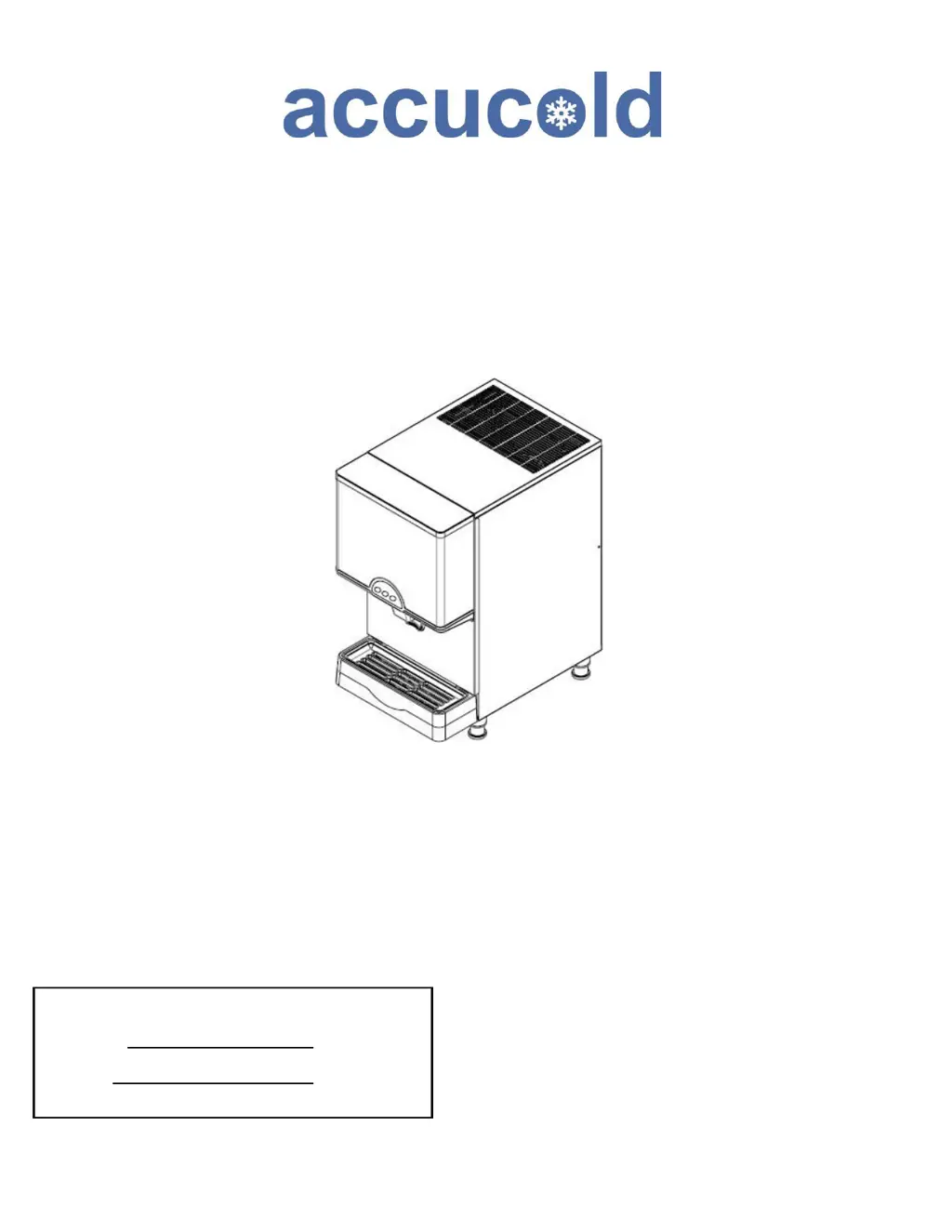
TABLETOP ICE & WATER DISPENSER
Models AIWD282 AIWD160
SCIWD282 AIWD450
User’s Manual
BEFORE USE, PLEASE READ AND FOLLOW
ALL SAFETY RULES AND OPERATING INSTRUCTIONS
FELIX STORCH, INC.
Summit Appliance Division
An ISO 9001:2015 registered company
770 Garrison Avenue
Bronx, New York 10474
Write Model and Serial Numbers here:
Model No.:
Ser. No.:

Questions and Answers

  • J
    Jimmy KellyAug 18, 2025
    What to do if Accucold AIWD282 shows a high pressure switch error?
    • B
      Brenda GomezAug 18, 2025
      A high pressure switch error can occur due to condenser dust, fan motor failure, or an abnormal cold cycle. Remove any dust, check the fan motor, and inspect for any cold cycle abnormalities. The system should automatically return to normal operation after these actions.
  • S
    Scott SheltonAug 20, 2025
    Why does my Accucold Dispenser show a water supply error?
    • C
      Cheryl BurnsAug 21, 2025
      A water supply error occurs when the water level sensor doesn't detect water supply for 120 seconds. Check the water supply pressure and inspect the water level sensor. After these checks, the unit should resume operation.
  • I
    irodriguezAug 23, 2025
    How to fix motor restraint in Accucold Dispenser?
    • J
      Jennifer BrownAug 23, 2025
      Motor restraint can occur if the evaporator inlet/outlet temperature is -18 °C or less for 10 minutes, or due to poor water supply, agitator restraint, or ice jams from scale. Unlock any ice jams, check the water supply line, and inspect for motor restraint faults. After addressing these issues, the unit should resume operation, but will stop after 3 repetitions.
  • S
    Shannon GallagherAug 26, 2025
    What to do if Accucold Dispenser displays a temperature sensor error?
    • L
      Lindsay JacksonAug 26, 2025
      A temperature sensor error is displayed when the temperature sensor is either open or shorted. Check the sensor and its attachments for any abnormalities. After repairing the sensor, you can start the operation.
  • G
    Glenn MartinezAug 27, 2025
    Why does my Accucold Dispenser show an evaporator temperature error?
    • C
      Chris HallAug 28, 2025
      An evaporator temperature error can occur if the evaporator temperature is 0 °C or more after 30 minutes during ice making, or if the evaporator temperature is over -5 °C after 30 minutes. Check for refrigerant leakage and inspect the sensor and its attachments for abnormalities. After resolving any cooling problems, resupply power to the unit.
  • D
    Douglas MarshAug 30, 2025
    What should I do if the Accucold Dispenser's high pressure switch opens multiple times?
    • K
      Kristina HarrisonAug 30, 2025
      If the high pressure switch opens 3 times or more, contact a service representative. After the necessary actions are taken, the unit can be restarted.
  • J
    Jennifer RodriguezSep 1, 2025
    What to do if Accucold AIWD282 shows water level sensor defect?
    • C
      Connie BrownSep 2, 2025
      A water level sensor defect occurs at the start of ice making if the upper and lower limits are not detected by the water level sensor for 60 seconds. The solution is to replace the water level sensor, after which operation can be restarted.
  • M
    Michael CowanSep 3, 2025
    What to do if Accucold AIWD282 Dispenser displays a cover error?
    • S
      Sara RiceSep 3, 2025
      A cover error indicates that the outlet cover is open. Close the cover to resolve the issue and resume operation.
  • M
    Mackenzie ChangSep 6, 2025
    What to do if my Accucold Dispenser shows a high pressure switch error?
    • B
      Brian LambertSep 6, 2025
      A high pressure switch error in your Accucold Dispenser can be caused by condenser dust, fan motor failure, or an abnormal cold cycle. To resolve this: * Remove any dust. * Check the fan motor. * Check for any abnormalities in the cold cycle. If the high pressure switch opens three or more times, contact a service representative.
  • M
    Mario BradfordSep 8, 2025
    What to do if Accucold Dispenser shows water supply error?
    • B
      Brittany LewisSep 8, 2025
      If your Accucold Dispenser displays a water supply error, it means the water level sensor isn't detecting water after 120 seconds of attempted supply. Check the water supply pressure and the water level sensor to resolve this issue.

Summary

Safety and Precautions

Safety Alerts and General Warnings

Explains DANGER, WARNING, CAUTION symbols and general safety advice.

Installation Safety Guidelines

Covers electrical, environmental, and general use safety guidelines for installation.

Operational Safety Precautions

Focuses on child safety, unit handling, and unplugging procedures.

Product Specifications

Location of Parts (AIWD282;SCIWD282)

Location of Parts (AIWD450)

Location of Parts (AIWD160)

Unpacking and Installation

Unpacking and Initial Checks

Details on removing packing materials and performing initial checks.

Installation Requirements

Covers ventilation, surface, and location requirements for proper installation.

Plumbing and Water Requirements

Plumbing Connections and Pressure

Details on water supply pipes, shutoff valves, and required water pressure.

Water Quality Considerations

Discusses impurities, dissolved solids, and filtering for optimal ice production.

Power Supply and Electrical Safety

Power Supply and Grounding

Details on voltage, circuit breaker, and proper grounding requirements.

Electrical Connection and Extension Cord Warning

Covers outlet types, grounding, and warnings against using extension cords.

Panel Disassembly Method

Water Supply and Drainage Connection

Starting the Product and Button Operation

Starting the Ice Maker Operation

Step-by-step guide to starting the ice production process.

Control Panel Button Functions

Explanation of the ICE, WATER, and ICE & WATER buttons.

Error Display and Handling

Describes error code display and initial troubleshooting steps.

Function Button Descriptions (FND Display)

Draining Functions and Stop Switch

Three Draining Function Modes

Explains Forced, Automatic, and Water Draining functions.

Stop Switch Operation

Details the function of the stop switch for motor protection.

Frost Prevention and Drainage

Actions to Prevent Frost

Instructions for water removal to prevent freezing during non-use.

Emptying Drainage Gutter (AIWD450)

Specific instructions for emptying the drainage gutter on the AIWD450 model.

Maintenance, Repair, and Disinfection

General Service and Safety

Guidelines for qualified service, safety during maintenance, and component handling.

Maintenance Schedule

Cleaning Exterior Panel (Stainless Steel)

Cautionary Notes on Rust Removal

Provides advice on cleaning different types of rust and salt deposition.

How to Clean and Disinfect

Washing Solution and Procedure

Details the recommended washing solution and step-by-step cleaning process.

Disinfection Procedures

Initial Disinfection Process

Steps for the initial disinfection of the unit and its parts.

Final Disinfection Process

Steps for the final disinfection and rinse of the unit.

Circuit Diagrams

Wiring Diagram: AIWD282;SCIWD282

Electrical wiring diagram for AIWD282 and SCIWD282 models.

Circuit Diagrams (AIWD160)

Troubleshooting

Error Codes and Causes

Lists common error codes (Er01-Er15) and their potential causes.

Troubleshooting Continued

Additional Error Codes and Actions

Covers remaining error codes (Er16-Er25) and recommended actions.

Before Requesting Service

Limited Warranty

Warranty Coverage and Exclusions

Details the one-year and compressor warranties, and items not covered.

Accucold AIWD282 Specifications

General IconGeneral
BrandAccucold
ModelAIWD282
CategoryDispenser
LanguageEnglish

Related product manuals