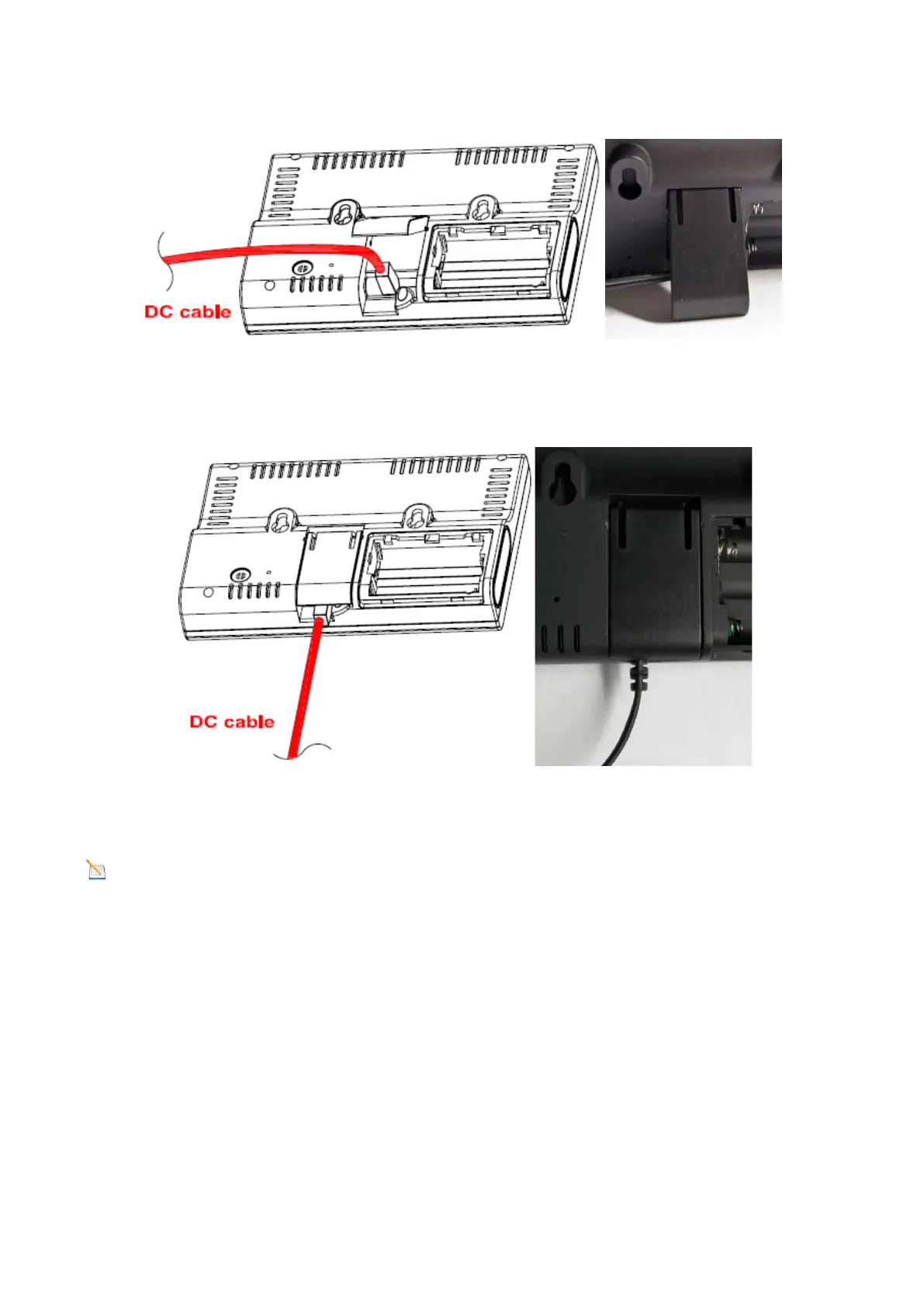
13
Figure 12
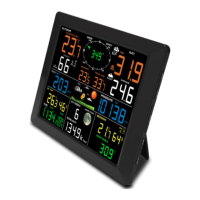
4: If you want to hang on the wall, rotate the DC plug down flat and close the desk stand; as shown in
Figure 13.
Figure 13
Note: If the power adaptor is plugged in, BL ON will display in the time area for three seconds when
powered up. Conversely, if the power adaptor is not plugged in, BL OFF will be displayed.
Sensor Operation Verification
The following steps verify proper operation of the sensors prior to installing the sensor array.
1. Verify proper operation of the rain gauge. Tip the sensor array back and forth several times. You should
hear a “clicking” sound within the rain gauge. Verify the rain reading on the display console is not reading
0.00. Each “click” represents 0.3mm of rainfall.
2. Verify proper operation of the wind speed sensor. Rotate the wind cups manually or with a constant
speed fan. Verify the wind speed is not reading 0.0.
3. Verify proper operation of the indoor and outdoor temperature sensors. Verify the indoor and outdoor
temperature readings match closely with the console and sensor array in the same location (about 3m apart).
The sensors should be within 2°C (the accuracy is ±1°C). Allow about 30 minutes for both sensors to stabilise.


 To Next Page