STEP 4
Using the APP to control main device:
Step 1 Downloading the APP
Step 2– Cleaning of skin
Step 4–Placing the gel pads
Download the application to your smart phone :
n By the Appstore or Google Play
n Then search ‘ACRL-9100’, and click the Smart
Pain Reliever ACRL-9100 icon.
The app operates on ios and Android platforms
(At least ios 8.0, Android 5.0)
Step 3– Preparation of the ACRL-9100 unit
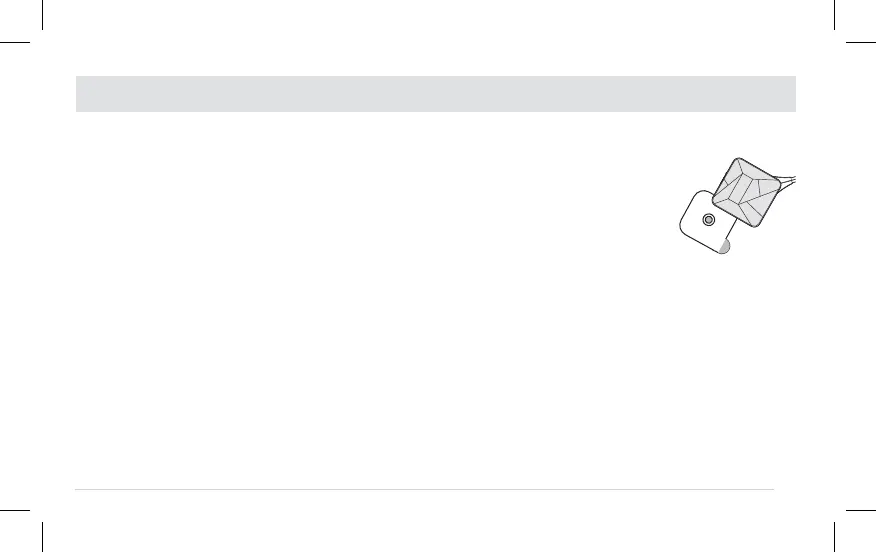
Each gel pad is pre-fixed with a
male snap to connect to the back
of the device, and is protected
by a transparent film. Press the
male snap of the gel pad to the
female snap of the device as
shown in the picture on the right:
Clip excess hair from the treatment area and
remove any jewelry that may come in contact
with the stimulation of the device. Wash area
with soap and water, and dry completely.
EASY STEPS TO GET STARTED WITH YOUR THERAPY WITH ELECTRODE PADS
19
Place electrodes on clean, dry and healthy skin at
least 2 in. apart and do not let them touch. Make
sure there is a linear path between the two
electrodes. (See the pages 22-23).
Note: Replace the electrodes when they are
damaged or dirty, when they have lost their
adhesive power or when stimulation becomes
uncomfortable, i.e. when you experience an
unpleasant stinging or biting sensation.


 To Next Page