13
Step 5 - Start treatment and adjust
intensity
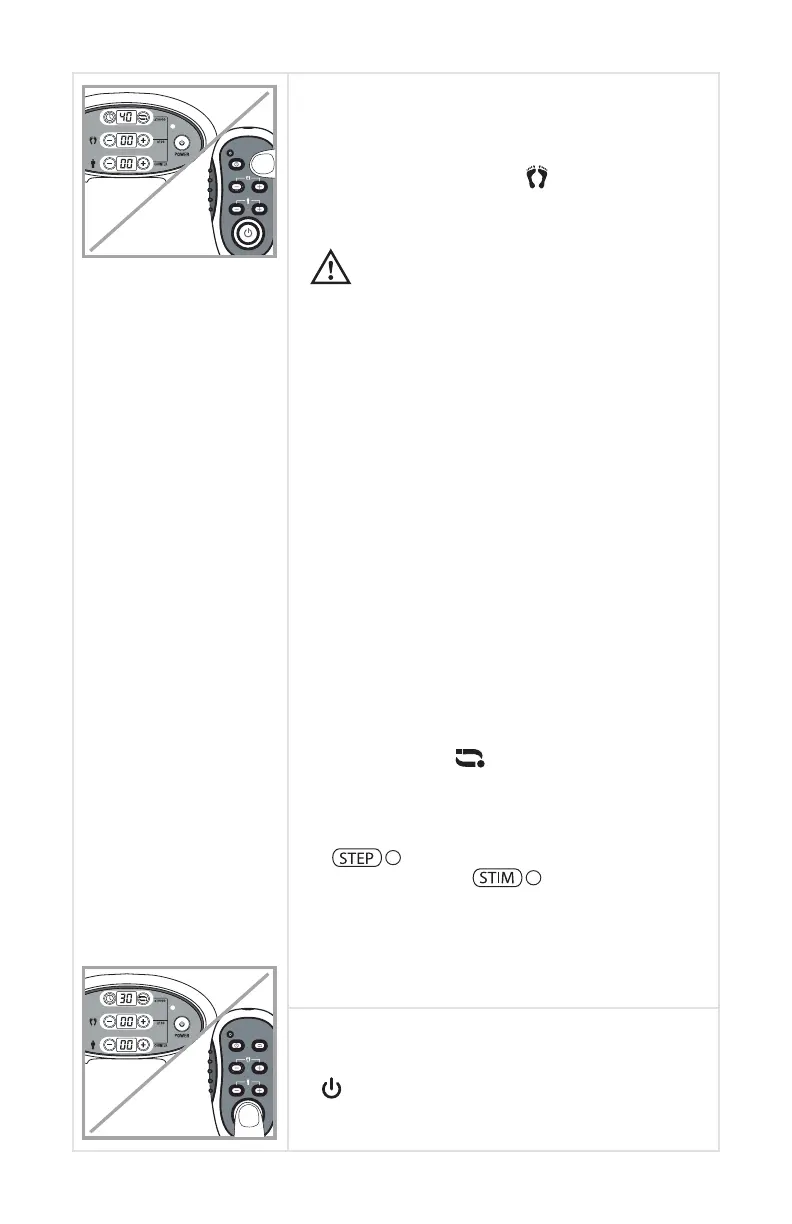
Using either the remote control or buttons on
the device, press the -/+ [ ] button to set the
intensity level. The treatment will begin and the
display will start counting down the remaining
minutes of treatment.
• We recommend using a conductive medium
on your feet to improve conductivity and
stimulation. Each person may require a
different intensity level to obtain the optimal
muscle stimulation. The device can safely be
used on intensity level 1 and up to maximum
level 99.
• There are 15 therapeutic phases working
throughout the cycle time changing every
minute. (See page 18 for phase programs)
• When using the AccuRelief Ultimate Foot
Circulator, the footboards can tilt back and
forth as your muscles contract and relax for
increased therapeutic value.
• If you remove your foot from the foot pads,
the device will give three short “Beeping”
sounds. Intensity will slowly decrease. Once
you place your feet back on the foot pads,
the intensity level will increase slowly to the
level you set. During this period, the display
shows the intensity level you set.
• You can press [ ] to shift the modes
between Stepper and Stimulation. Please
note: Your foot stimulation will still be active
when you change between the Stepper and
Stimulation LED screen. When the
( ) is lit, the LCD displays your # of
steps. When the ( ) is lit, the LCD
displays the intensity stimulation. Note: There
may be times throughout certain phases
when you will need to increase or decrease
the intensity.
Step 6 - Turn OFF the device
To turn OFF the device. Press the power button
[ ] on the device or the remote control. The
display also has an automatic shut-off once the
timer reaches zero.
CAUTION


 To Next Page