on the motherboard within the laptop. Both batteries must be removed separately from
the laptop and shall be disposed or recovered in compliance with Directive 2008/98/EC.
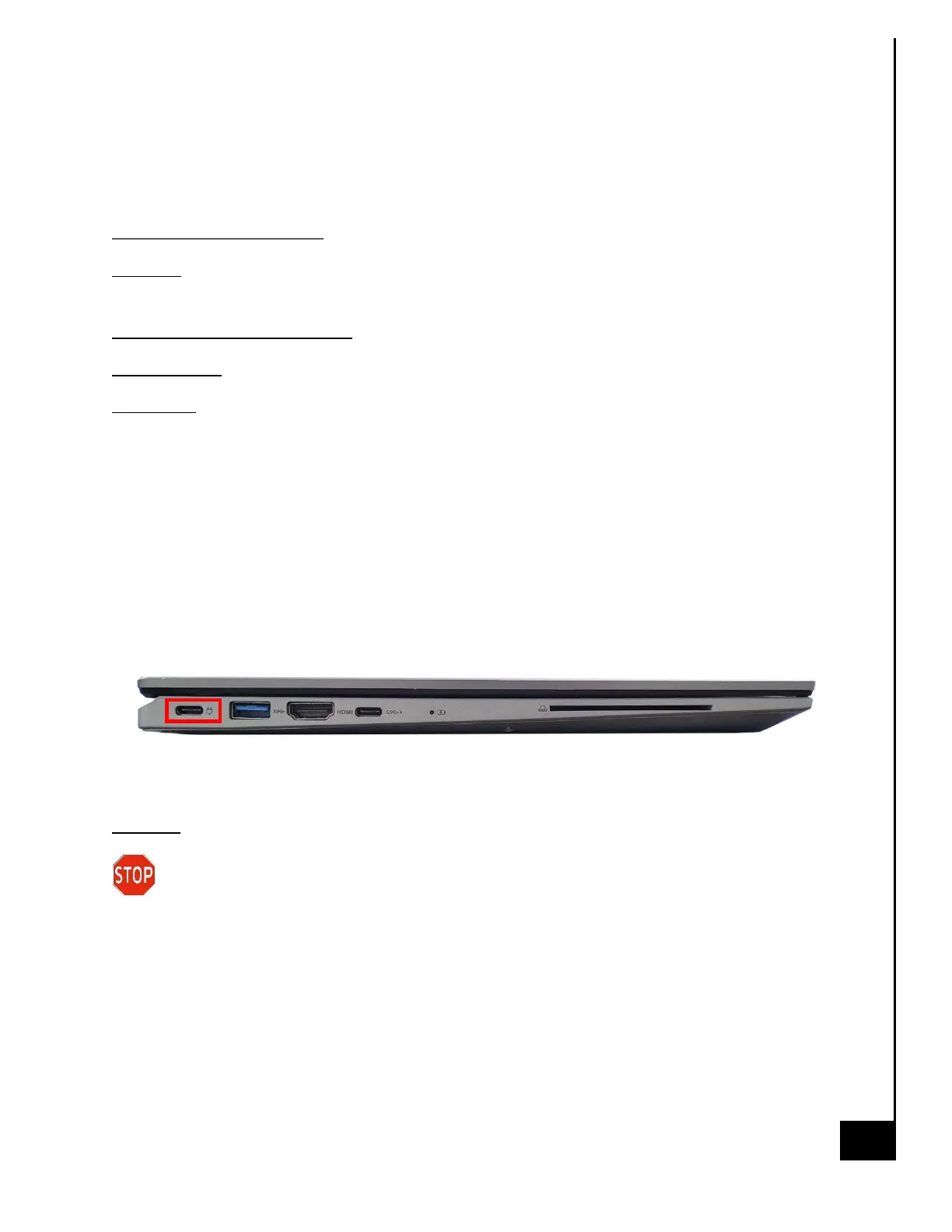
External Power Cable
Location: The inlet to the USB-C power cable is located on the I/O panel on the left view of the
laptop.
Type and number of fastenings: None, direct pressure connection method.
Tools required: None.
Procedure:
Step 1: Ensure your computer is powered down.
Step 2: Disconnect the external power cable from the main laptop assembly.
Reinstallation
Step 3: Connect the external power cable from the left view of the laptop into the motherboard
connection point.
Disposal:
Selective Treatment/Special Handling Per Annex VII, Directive 2012/19/EU: Any external
electrical cables must be removed separately and shall be disposed or recovered in
compliance with Directive 2008/98/EC. The external power supply contains one printed circuit
board greater than 10 sq. cm and must be removed from the device and must be disposed of, or
recovered, in compliance with the requirements of Directive 2008/98/EC.


 To Next Page
 Loading...