Need help?
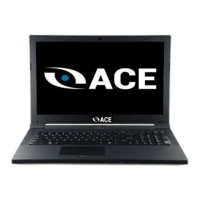
Do you have a question about the ACE COMPUTERS T730 and is the answer not in the manual?
Defines the target audience for this manual, including integrators and technicians.
Provides contact information and website for support and updates.
Explains the Energy Star program and its certification for energy efficiency.
Lists advantages of Energy Star certification, including efficiency and cost savings.
Details default power management settings for Energy Star compliance.
Instructions on how to wake the PC from power-saving modes.
Outlines the purpose of this section regarding disassembly and selective treatment.
Directs users to another section for information on obtaining replacement components.
Warns about component fragility, ESD, and safe handling procedures.
Lists components needing selective treatment per WEEE Directive.
Provides disposal instructions for various components according to EU directives.
Step-by-step guide for removing, reinstalling, and disposing of the laptop battery.
Details the procedure for disconnecting and reconnecting the external power cable.
Step-by-step instructions for removing and reinstalling the chassis bottom cover.
Identifies the left and right side panels as locations for I/O connections.
Notes I/O connections are part of larger assemblies and directs to support for replacement.
Steps to diagnose and resolve issues when the computer does not power on.
Troubleshooting for black screens and issues preventing Windows from booting.
Steps to address system freezes or crashes encountered during the boot process.
Explains the importance of dust removal and provides regular maintenance steps.
Recommends scanning for malware using Windows Defender or other software.
Guide on how to check for and install Windows operating system updates.
Importance of updating device drivers and where to find them.
Steps for resetting the PC to remove personal information and restore settings.
Instructions on physically destroying HDDs and SSDs to ensure data is unrecoverable.
Table listing hardware features and their upgrade, repair, and replacement status.
Information on ordering parts, requesting repair, and contacting technical support.
Describes Ace Computers' service for taking back end-of-life products for proper disposal.
 General
| Brand | ACE COMPUTERS |
|---|---|
| Model | T730 |
| Category | Laptop |
| Language | English |

 To Next Page