51
English
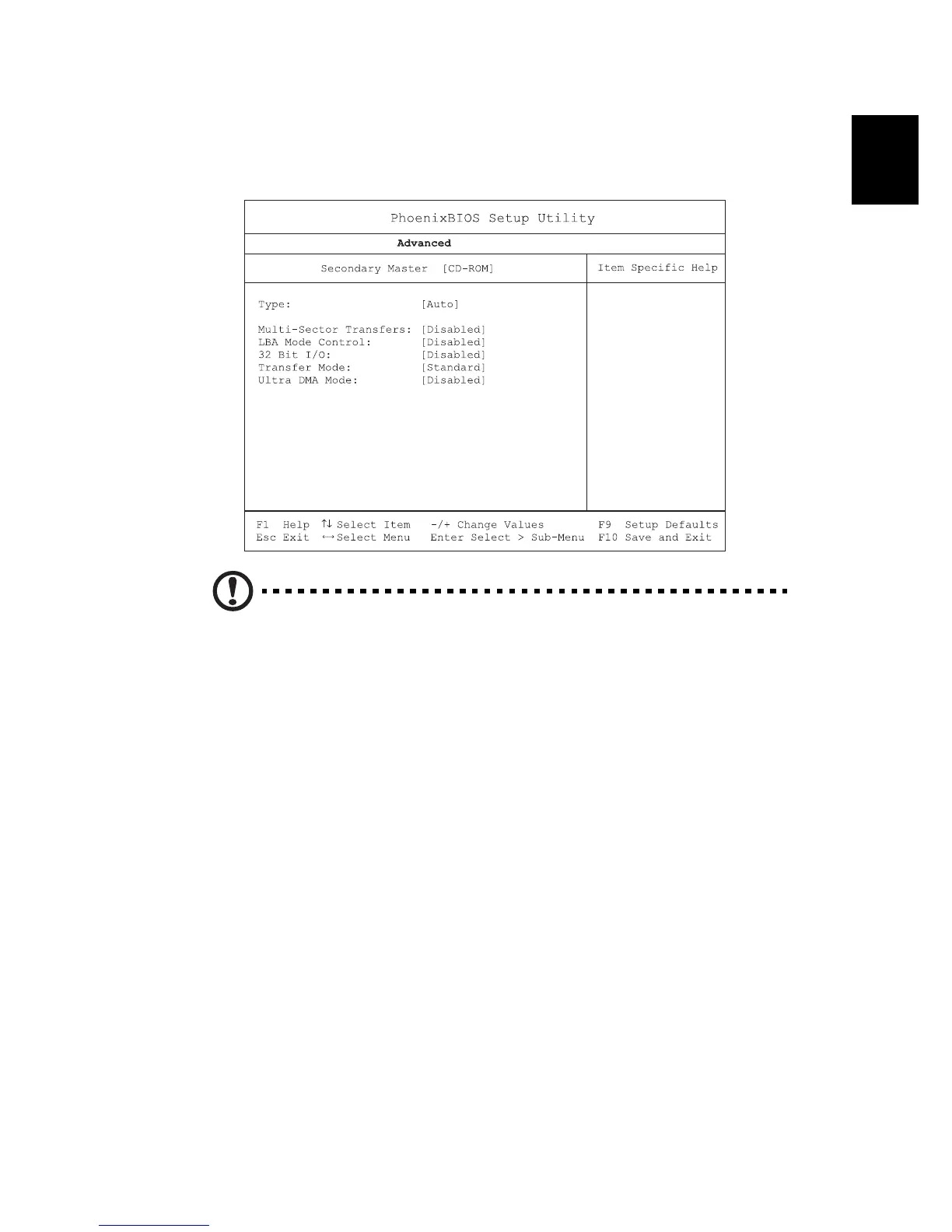
Secondary Master
The Secondary Master sub-menu contains parameters related to the
optical drive installed in your computer.
Caution: The parameters in this screen are for advanced uses only.
Typically, you do not need to change the values in this screen. The
default setting of Auto optimizes all the settings in your hard disk
drive.




 To Next Page