2 Customizing my computer52
English
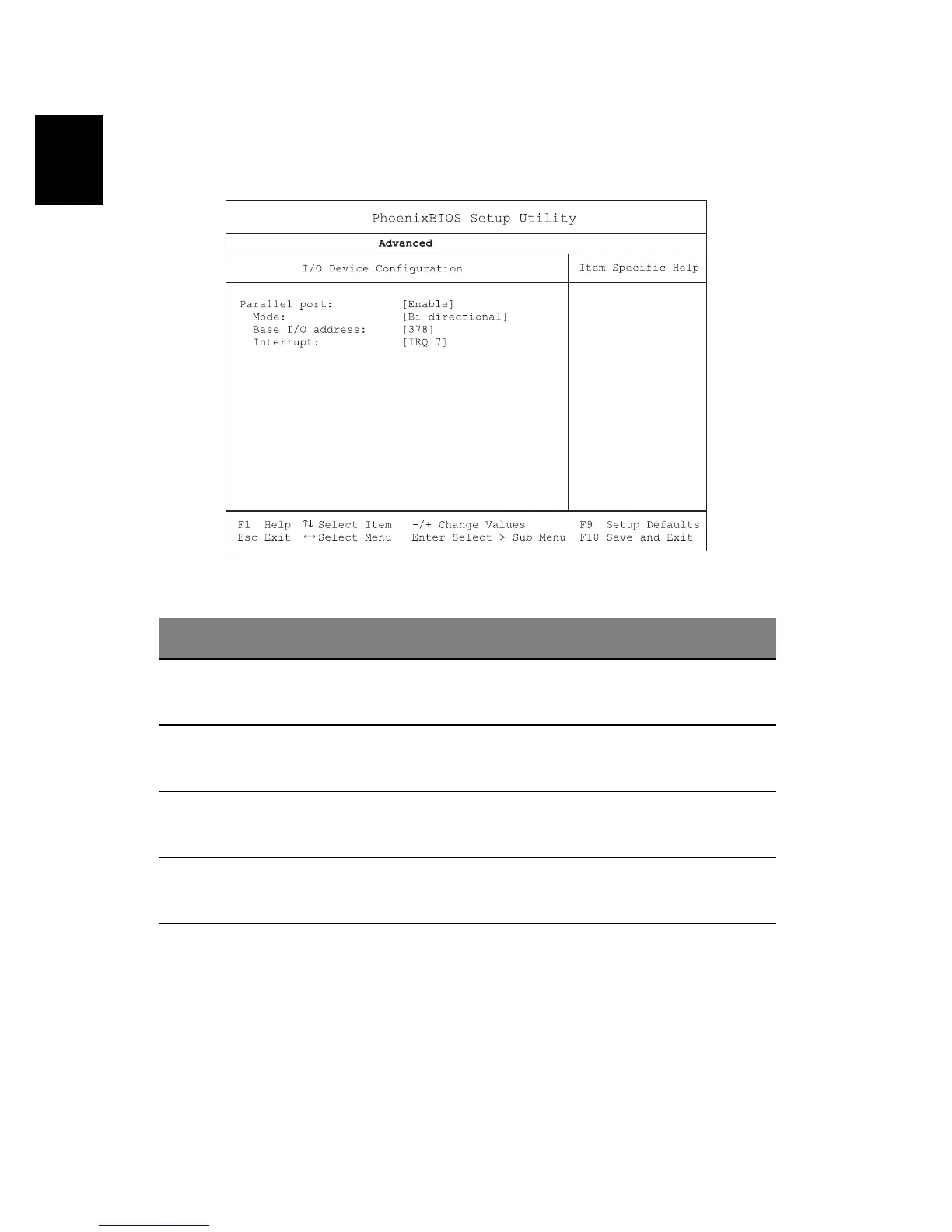
I/O Device Configuration
The I/O Device Configuration sub-menu contains parameters that are
related to your computer hardware.
.
Parameter Description
Parallel Port Enables or disables the parallel port.
Options: Enabled or Disabled
Mode Sets the operation mode of the parallel port.
Options: Output only, Bi-direction, EPP, or ECP
Base I/O Address Sets the I/O address of the parallel port.
Options: 3BC, 378h, or 278h
Interrupt Sets the interrupt request of the parallel port.
Options: IRQ 5 or IRQ 7





 To Next Page