102 Chapter 3
11. See “Removing the Middle Cover” on page 73.
12. See “Removing the Keyboard” on page 74.
13. See “Removing the Heatsink Module” on page 78.
14. See “Removing the CPU” on page 80.
15. See “Removing the LCD Module” on page 84.
16. See “Separating the Upper Case from the Lower Case” on page 87.
17. See “Removing the Modem Board” on page 100.
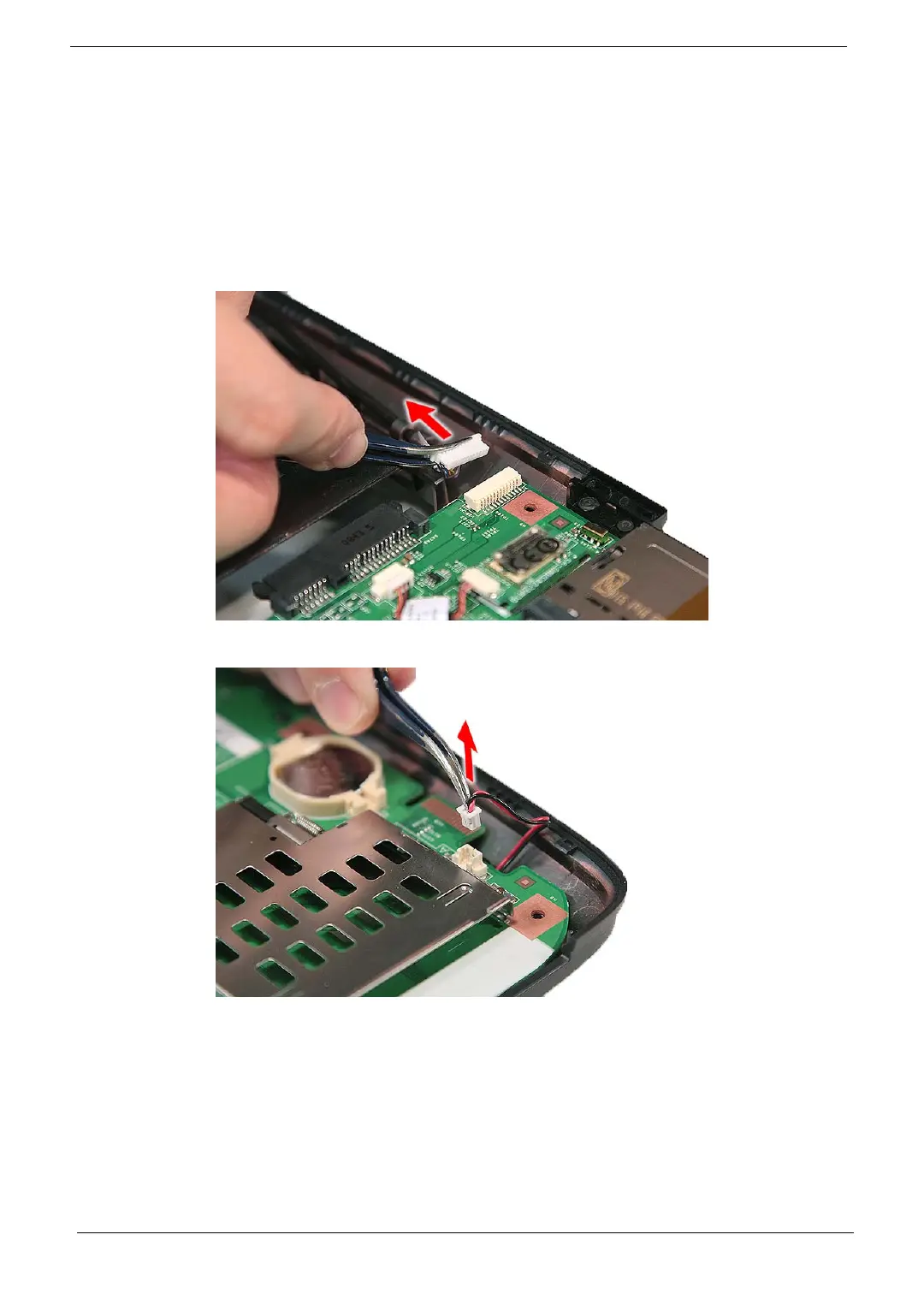
18. Disconnect the USB cable from the USBCN1 connector on the main board.
19. Disconnect the subwoofer cable from FRONT1 connector on the main board.



 To Next Page