Chapter 2 49
Remove HDD Password
This section provide you with a method of removing HDD password:
Remove HDD Password:
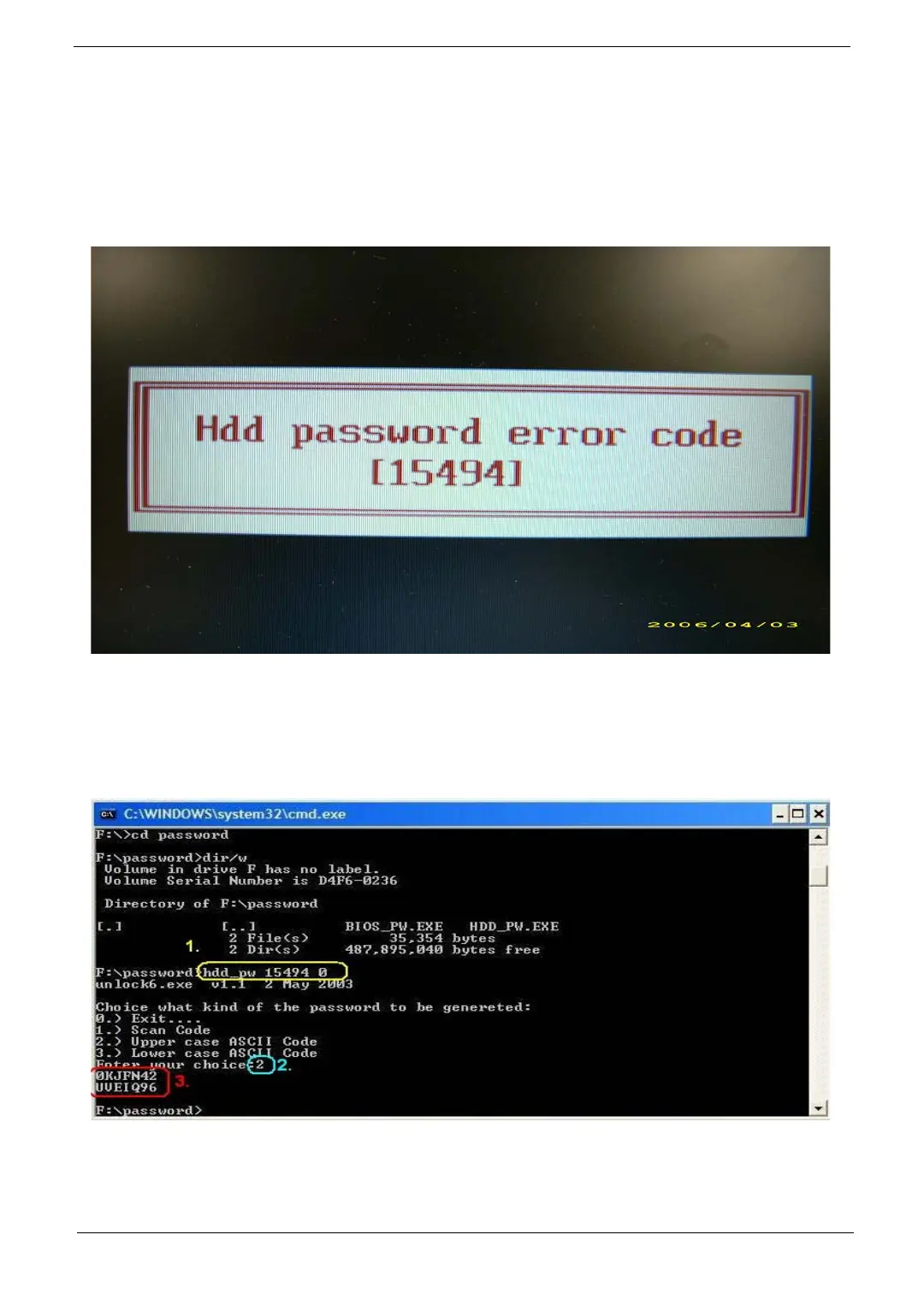
• If you key in wrong HDD password for three time, “HDD password error code” would display on the
screen. See the image below.
• If you need to solve HDD password locked problem, you can run HDD_PW.EXE
1.
Key in “hdd_pw 15494 0”
2. Select “2”
3. Choose one upper-case string
• Reboot system and key in “0KJFN42” or “UVEIQ96” to HDD user password.



 To Next Page