EasyManua.ls Logo

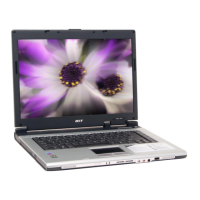
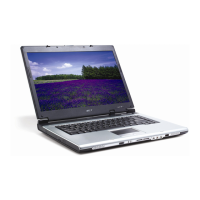
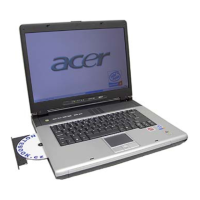
Acer Aspire 1610 series - User Manual

Acer Aspire 1610 series
94 pages
Print Icon
To Next Page IconTo Next Page
Loading...
Acer Aspire 1610 series
User’s guide

Table of Contents

Other manuals for Acer Aspire 1610 series

Questions and Answers

  • S
    Seth RobinsonJul 26, 2025
    Why is my Acer Aspire 1610 Laptop not turning on? (Power failure)
    • V
      Victor HallJul 27, 2025
      If your Acer Laptop is experiencing a power failure, indicated by the power indicator not turning on or staying on, perform the “Power System Check” on page 92.
  • M
    Michele PerezAug 2, 2025
    What to do if Acer Laptop POST detects an error and displays messages on screen?
    • V
      vaughnshawnAug 2, 2025
      If your Acer Laptop's Power-On Self-Test (POST) detects an error and displays messages, consult the “Error Message List” on page 96 for troubleshooting steps.
  • C
    Christina MoralesAug 9, 2025
    What to do if symptoms cannot be re-created (intermittent problems) on Acer Laptop?
    • J
      Jeremy ClarkAug 9, 2025
      If the symptoms you're experiencing on your Acer Laptop are intermittent and cannot be easily reproduced, use the customer-reported symptoms and go to “Power-On Self-Test (POST) Error Message” on page 95 “Intermittent Problems” on page 102 “Undetermined Problems” on page 103.
  • R
    ruizwilliamAug 17, 2025
    What to do if Acer Laptop POST does not complete?
    • M
      mcarpenterAug 17, 2025
      If the Power-On Self-Test (POST) does not complete on your Acer Laptop, and there are no beeps or error codes, consult “Power-On Self-Test (POST) Error Message” on page 95 and “Undetermined Problems” on page 103.

Summary

Getting Familiar with Your Computer

Computer Hardware Overview

Detailed description of the computer's external views and components.

Computer Features and Functions

Covers indicators, keyboard, touchpad, launch keys, storage, connectivity, audio, and security.

Operating on Battery Power

Battery Pack Management

Information on battery characteristics, charging, maximizing life, and warnings.

Power Management

Explanation of the computer's power management system and ACPI support.

Peripherals and Options

Miscellaneous Options

Covers spare battery packs and AC adapters.

Key Component Upgrades

Details on upgrading memory and hard disk drives.

External Display Devices

Connecting external monitors or projectors to the computer.

External Input Devices

Connecting USB keyboards, keypads, pointing devices.

USB Devices

Information on connecting various peripherals via USB ports.

IEEE 1394 Port

Connecting IEEE 1394 compatible devices like digital cameras.

Printer and Audio Connections

How to connect printers and external audio devices.

Expansion and PC Card Slots

Information on PC card slots and expansion devices.

Moving with Your Computer

Preparing for Movement

Instructions for disconnecting from the desktop and preparing for short moves.

Travel Considerations

Tips for traveling with the computer, including home office and international travel.

Software

System Software Overview

Information on the operating system, BIOS setup utility, and utilities.

Launch Manager

Guide to configuring the computer's launch keys using the Acer Launch Manager.

Troubleshooting

Frequently Asked Questions

Solutions to common computer problems and user queries.

Appendix A: Specifications

Hardware Specifications

Detailed technical specifications for the computer's hardware components.

Appendix B: Regulation and Safety Notices

Safety and Compliance Notices

Important safety instructions, regulatory compliance, and warranty information.

Acer Aspire 1610 series Specifications

General IconGeneral
Weight2.8 kg (6.17 lbs)
CPUIntel Celeron M 370 (1.5 GHz)
MemoryDDR SDRAM, up to 2GB
GraphicsIntegrated Intel Graphics Media Accelerator (GMA) 900
Hard Drive40 GB or 60 GB HDD
Optical DriveDVD/CD-RW combo drive
Operating SystemWindows XP Home Edition
Networking10/100 Mbps Ethernet, 802.11b/g Wi-Fi
Ports3x USB 2.0, VGA, headphone, microphone
Battery6-cell Li-Ion

Related product manuals