EasyManua.ls Logo

Acer Aspire 1660 - User Manual

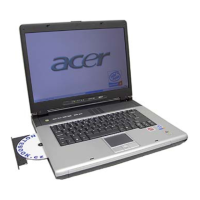
Acer Aspire 1660
100 pages
Print Icon
To Next Page IconTo Next Page
Loading...
Acer Aspire 1660 Series
User’s Guide

Table of Contents

Other manuals for Acer Aspire 1660

Questions and Answers

  • J
    Jocelyn MooreJul 26, 2025
    What does it mean when my Acer Laptop beeps 4 times?
    • S
      Spencer VillarrealJul 26, 2025
      In the situation when the battery is critically low, the BIOS of your Acer Laptop will issue 4 short beeps and then shut down the system, without showing any message.
  • K
    Kristen HardingJul 30, 2025
    What to do if my Acer Aspire 1660 Laptop has no beep, power-on indicator turns off, and LCD is blank?
    • N
      Nicholas KeyJul 30, 2025
      If your Acer Laptop shows no beep, the power-on indicator turns off, and the LCD is blank, the cause may be the power source (battery pack and power adapter). Refer to 'Power System Check'. Ensure all connectors are tightly and correctly connected. Try reconnecting the DIMM, LED board, and system board.
  • A
    Anthony WalkerAug 3, 2025
    How to fix a dead system battery on an Acer Aspire 1660 Laptop?
    • C
      Colton RichardsAug 4, 2025
      If the system battery of your Acer Laptop is dead, replace the RTC battery and run the BIOS Setup Utility to reconfigure the system time, then reboot the system.
  • K
    Katie AndrewsAug 7, 2025
    How to fix 'Monitor type does not match CMOS' on Acer Aspire 1660 Laptop?
    • C
      Christopher FloresAug 8, 2025
      If your Acer Laptop displays 'Monitor type does not match CMOS - Run Setup', run 'Load Default Settings' in the BIOS Setup Utility.
  • J
    Jerome SmithAug 12, 2025
    How do I resolve a system timer error on my Acer Laptop?
    • M
      Mario BushAug 12, 2025
      If your Acer Laptop shows a system timer error, replace the RTC battery. Then, run the BIOS Setup Utility to reconfigure the system time, and reboot the system.
  • A
    Amanda DavisAug 16, 2025
    What causes Error Code 006 on Acer Aspire 1660?
    • A
      aavilaAug 16, 2025
      If your Acer Laptop displays Error Code 006 - Equipment Configuration Error, see the causes listed before 'Equipment Configuration Error'. The causes may be: CPU BIOS Update Code Mismatch or IDE Primary Channel Master Drive Error.
  • J
    Jeffrey BentleyAug 20, 2025
    What happens when my Acer Laptop's thermal temperature is critically high?
    • J
      jacquelinesanchezAug 21, 2025
      When the thermal temperature is critically high, the BIOS of your Acer Laptop will shut down the system without showing a message.

Summary

Getting Familiar with Your Computer

Hot Keys and Launch Keys

How to use Fn key combinations and programmable launch keys for quick access.

Computer Security and Passwords

Guidance on securing the computer and setting up password protection.

Operating on Battery Power

Battery Pack Management

Details on battery pack features, maximizing life, and conditioning.

Battery Installation and Removal

Step-by-step instructions for installing and removing the battery pack.

Battery Low Warning Actions

What to do when the battery low warning appears.

Power Management System

Explanation of the system's power management features and ACPI.

Software

BIOS Setup Guide

Explanation of the BIOS setup utility and its configuration options.

Troubleshooting

Frequently Asked Questions

Solutions to common issues like no power, blank screen, or image problems.

Service and Warranty Information

Information on requesting service and the International Traveler's Warranty.

Appendix B Regulation & Safety Notices

Product Safety Instructions

Critical safety warnings and instructions for product operation and maintenance.

Acer Aspire 1660 Specifications

General IconGeneral
ProcessorIntel Pentium 4
Display Size15.4 inches
Operating SystemWindows XP Home
Battery Life2.5 hours
RAM512 MB
Display15.4-inch WXGA TFT

Related product manuals