EasyManua.ls Logo

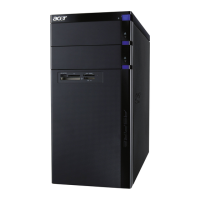
Acer Aspire M3420 - User Manual

Acer Aspire M3420
137 pages
Print Icon
To Next Page IconTo Next Page
Loading...
Acer
Aspire M3420
Service Guide
SG V1.00
PRINTED IN TAIWAN

Table of Contents

Questions and Answers

  • L
    Linda HermanJul 31, 2025
    What to do if my Acer Aspire M3420 will not power on?
    • G
      Gary JohnsonJul 31, 2025
      If your Acer Desktop isn't powering on, first ensure the power cable is securely connected to both the system and the AC power source. Also, verify that the voltage selector switch is set to the correct voltage.
  • M
    Michael LindseyAug 8, 2025
    How to know if the BIOS is damaged on my Acer Aspire M3420?
    • E
      Emily GallagherAug 8, 2025
      One long beep followed by two short beeps indicates that the BIOS is damaged on your Acer Desktop.
  • A
    Alyssa WilsonAug 19, 2025
    What does it mean if my Acer Aspire M3420 Desktop indicates CMOS is damaged?
    • D
      Donald MillerSep 12, 2025
      Two short beeps from your Acer Desktop indicate that the CMOS is damaged, possibly due to a CMOS checksum error or CMOS battery loss.

Summary

System Tour

Block Diagram

Visual representation of system architecture and component connections.

System Components

Overview of internal and external system components with their locations.

Hardware Specifications and Configurations

Detailed technical specifications for processor, BIOS, chipset, memory, and I/O.

Power Management Function

Explanation of ACPI support and system power saving states (S1, S3, S5).

System Utilities

CMOS Setup Utility

Guide to the BIOS setup program for hardware configuration and system settings.

BIOS Configuration Options

Details on main, advanced, security, boot, and exit menus within BIOS setup.

System Disassembly and Assembly

Disassembly Requirements

Lists necessary tools and precautions for safely disassembling the computer.

Pre-disassembly Procedure

Steps to perform before starting any disassembly process.

Removing Components

Step-by-step instructions for removing major hardware components.

Assembly Requirements

Lists necessary tools for reassembling the computer.

Assembly Procedure

Step-by-step instructions for reassembling the computer.

System Troubleshooting

Hardware Diagnostic Procedure

Steps for diagnosing hardware issues and recreating failures.

System Check Procedures

Guidelines for checking power, external, and internal system components.

Beep Codes

Interpretation of BIOS beep codes indicating system errors.

BIOS Recovery

Instructions for recovering the BIOS using a USB thumb drive or CDROM.

Jumper and Connector Information

Motherboard Placement

Diagram and explanation of motherboard component layout and key headers.

Jumper Settings

Guidance on setting motherboard jumpers for system configuration.

Internal Header Pin Definitions

Detailed pinouts for CPU fan, system fan, and front panel audio/USB headers.

FRU (Field Replaceable Unit) List

Aspire M3420 Exploded Diagram

Visual breakdown of the computer with numbered parts for identification.

Aspire M3420 FRU List

Comprehensive list of all Field Replaceable Units with part numbers.

Acer Aspire M3420 Specifications

General IconGeneral
NetworkingGigabit Ethernet
USB Ports6 x USB 2.0, 2 x USB 3.0
Operating SystemWindows 7 Home Premium
ProcessorAMD Quad-Core Processor
ChipsetAMD A75 Chipset
Memory4 GB DDR3
GraphicsAMD Radeon HD Graphics
Storage500 GB HDD
Optical DriveDVD-Super Multi Drive
AudioIntegrated high-definition audio with 5.1-channel support
PortsHDMI

Related product manuals