EasyManua.ls Logo

Acer Aspire T130 - User Manual

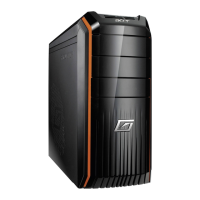
Acer Aspire T130
28 pages
Print Icon
To Next Page IconTo Next Page
Loading...
Aspire T130
User’s guide

Other manuals for Acer Aspire T130

Questions and Answers

  • T
    Tabitha HowardSep 9, 2025
    How to resolve Floppy Drive Write Protected Errors on Acer Aspire T130?
    • A
      Austin DavisSep 9, 2025
      To resolve 'Floppy Drive(s) Write Protected' or 'Hard Disk Drive(s) Write Protected' errors on your Acer Desktop: * Ensure that the diskette drive is not set to [Write Protected] in the Security Options in BIOS Setup. * Load default settings in Setup.
  • T
    Todd RogersAug 23, 2025
    How to fix IDE Drive errors on Acer Aspire T130?
    • D
      David WilsonAug 23, 2025
      To resolve IDE Drive errors (IDE Drive 0 Error, IDE Drive 1 Error, IDE Drive 2 Error, IDE Drive 3 Error) on your Acer Desktop: * Enter BIOS Setup and load the default settings. * Check the IDE drive jumper. * Check the IDE hard disk drive power and cable/connection. * Inspect the IDE hard disk drive.
  • N
    Nathan GreenAug 25, 2025
    How to resolve PS/2 Keyboard errors on Acer Aspire T130 Desktop?
    • A
      Adrienne Roberson DVMAug 25, 2025
      To fix PS/2 keyboard errors (PS/2 Keyboard Error or Keyboard Not Connected, PS/2 Keyboard Interface Error, PS/2 Keyboard Locked) on your Acer Desktop: * Reconnect the PS/2 keyboard and mouse. * Enter BIOS Setup and load the default settings. Inspect the PS/2 keyboard, PS/2 mouse and the system board.
  • M
    Mark JohnsonAug 26, 2025
    What to do if Acer Aspire T130 shows RAM Parity Error?
    • J
      Jennifer DennisAug 27, 2025
      If your Acer Desktop displays a RAM Parity Error, enter BIOS Setup to disable the parity check. Also, check the memory module and the system board.
  • R
    Robert ColemanAug 27, 2025
    What to do if my Acer Aspire T130 Desktop says 'Insert system diskette and press ENTER key to reboot'?
    • D
      Danny WilsonAug 28, 2025
      If your Acer Desktop displays the message 'Insert system diskette and press ENTER key to reboot', insert a bootable disk into the floppy disk drive, or remove the disk if a hard disk is installed.
  • S
    stacylindseyAug 29, 2025
    How to fix a hard disk drive test failure on my Acer Aspire T130 Desktop?
    • S
      sfriedmanAug 29, 2025
      If the hard disk drive test failed on your Acer Desktop, enter BIOS Setup and load default settings. Check the hard disk drive cable, the hard disk drive itself, and the system board.
  • T
    theresablackSep 18, 2025
    How to correct an inaccurate real-time clock on my Acer Desktop?
    • L
      Lynn SanchezSep 18, 2025
      If the real-time clock on your Acer Desktop is inaccurate, ensure the information in the Date and Time of BIOS Setup is set correctly. Also, check the RTC battery and the system board.
  • A
    April GonzalesSep 18, 2025
    What to do if CD/DVD-ROM drive cannot load or eject on Acer Aspire T130?
    • D
      Daniel WilliamsSep 22, 2025
      If your CD/DVD-ROM drive cannot load or eject when the system is turned on and its eject button is pressed and held on your Acer Desktop, disconnect all cables from CD/DVD-ROM drive except power cable, then press eject button to try to unload the disk. Check the CD/DVD-ROM drive power and the CD/DVD-ROM drive.
  • G
    gibsonstephanieSep 7, 2025
    How to resolve 'Onboard xxx... Conflict(s)' on Acer Aspire T130 Desktop?
    • A
      Anita MoralesSep 8, 2025
      To resolve 'Onboard xxx... Conflict(s)' on your Acer Desktop: * Enter BIOS Setup and load the default settings. * Remove all adapter cards that are NOT factory-installed, then reboot the system.
  • T
    teresahensonSep 4, 2025
    How to fix Floppy Disk Controller Errors on Acer Aspire T130?
    • K
      Kimberly DonovanSep 4, 2025
      To resolve Floppy Disk Controller Error, Floppy Drive A Error, or Floppy Drive B Error on your Acer Desktop, check the diskette drive cable/connection, the diskette drive itself, and the system board.

Summary

System Tour

Front Panel Components

Identifies and describes the parts on the computer's front.

System Features

Performance Specifications

Lists the computer's performance-related hardware features.

Multimedia and Connectivity

Covers audio system features and available input/output ports.

System Peripherals

Mouse, Keyboard, and Speaker Connection

Instructions for connecting essential peripherals like mouse, keyboard, and speakers.

System Upgrade Procedures

Opening the Computer and Installing Components

Steps for accessing the computer and installing new hardware.

Setting Up Your Computer

Pre-Setup Checklist and Location

Essential considerations and location selection before initial setup.

Connecting Peripherals and Power

How to connect external devices and the power cord to the system.

Startup and Shutdown Procedures

Procedures for powering the computer on and off.

Taking Care of Your Computer

Important Usage Tips and Cleaning

Key advice for safe operation, maintenance, and cleaning.

Service and Technical Support

Guidance on when to seek professional service or assistance.

Regulatory and Safety Notices

Energy Star and FCC Notices

Information on energy efficiency standards and FCC regulations.

Canadian, EU, and Modem Notices

Notices for Canadian users, EU conformity, and USA modem usage.

Australian and General Safety Instructions

Safety advice for Australia and general product safety guidelines.

Copyright, Battery, and Laser Safety

Statements on copyright protection, battery handling, and laser safety.

CE and FCC Declarations

Formal declarations of product compliance with CE and FCC standards.

Acer Aspire T130 Specifications

General IconGeneral
BrandAcer
ModelAspire T130
CategoryDesktop
LanguageEnglish

Related product manuals