EasyManua.ls Logo

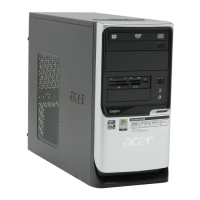
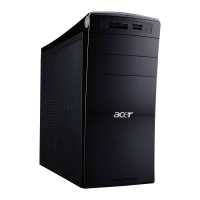
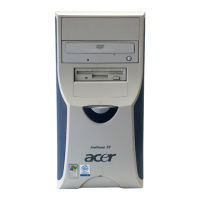
Acer Aspire T310 - User Manual

Acer Aspire T310
28 pages
Print Icon
To Next Page IconTo Next Page
Loading...
Aspire T310
User’s manual

Other manuals for Acer Aspire T310

Questions and Answers

  • M
    Mark DavilaSep 23, 2025
    What does it mean if my Acer Aspire T310 CD/DVD-ROM drive LED doesn't come on?
    • A
      Alison BallardSep 23, 2025
      If the LED on your Acer Desktop's CD/DVD-ROM drive doesn't come on but the drive works normally, the problem is likely with the CD/DVD-ROM drive itself.
  • T
    Theresa GonzalezAug 25, 2025
    What to do if Acer Aspire T310 Desktop shows IDE Drive error?
    • A
      Andrew SolomonAug 25, 2025
      If you are experiencing an IDE Drive error on your Acer Desktop, try loading the default settings in BIOS Setup. Also, check the IDE drive jumper, the IDE hard disk drive power, the IDE hard disk drive cable/connection, and the IDE hard disk drive itself.
  • J
    Jennifer DeckerAug 25, 2025
    What to do if Acer Aspire T310 Desktop shows IRQ Setting Error?
    • S
      Stephanie MooreAug 26, 2025
      To resolve the IRQ Setting Error on your Acer Desktop, load the default settings in Setup. Enter BIOS Setup, set the Reset Resource Assignments of the PnP/PCI Options to Yes, and then reboot the system. You can also try removing all adapter cards that are NOT factory-installed and then reboot the system.
  • F
    Frank ArcherAug 27, 2025
    Why is my Acer Desktop showing a RAM Parity Error?
    • M
      Mrs. Tammy LaraAug 27, 2025
      If your Acer Desktop is showing a RAM Parity Error, enter BIOS Setup to disable the parity check. The issue may also be related to the memory module or the system board.
  • L
    Lisa ReynoldsAug 27, 2025
    What to do if my Acer Aspire T310 hard disk drive test failed?
    • A
      Andrea SloanAug 27, 2025
      If the hard disk drive test failed on your Acer Desktop, enter BIOS Setup and load the default settings. Check the hard disk drive cable, the hard disk drive itself, and the system board.
  • K
    Keith LawrenceSep 15, 2025
    What to do if Acer Desktop shows 'Insert system diskette and press ENTER key to reboot'?
    • J
      Jacqueline BensonSep 15, 2025
      If your Acer Desktop displays the message 'Insert system diskette and press ENTER key to reboot', insert a bootable disk into the floppy disk drive or remove this disk if a hard disk is installed.
  • M
    madison07Sep 12, 2025
    What to do if Acer Desktop shows DMI Table Was Destroyed?
    • P
      Priscilla SimonSep 12, 2025
      If your Acer Desktop shows 'DMI Table Was Destroyed', flash the BIOS.
  • H
    Heather NixonSep 14, 2025
    What to do if Acer Aspire T310 shows blinking cursor and doesn't work?
    • R
      Randy BradleySep 14, 2025
      If your Acer Desktop only shows a blinking cursor and doesn't work, check the diskette/IDE drive connection/cables and the diskette/IDE disk drives. The issue may also be with the system board.
  • V
    Veronica Grant DVMSep 5, 2025
    How to fix Acer Aspire T310 if it shows CPU Clock Mismatch?
    • D
      Dr. Alex EllisonSep 5, 2025
      If your Acer Desktop shows a CPU Clock Mismatch, enter BIOS Setup and load the default settings. Ensure the BIOS setting for the processor is set correctly.
  • G
    George ObrienSep 2, 2025
    What to do if Acer Aspire T310 shows Onboard conflict?
    • S
      Shannon FitzpatrickSep 2, 2025
      If your Acer Desktop shows an Onboard conflict, enter BIOS Setup and load the default settings. Also, remove all adapter cards that are NOT factory-installed, then reboot the system.

Summary

System Tour

Front Panel

Details the components and connectors on the front of the computer, illustrated with numbered labels.

Rear Panel

Illustrates and labels the various ports and components located on the rear of the computer.

System Features

Connectivity

Outlines the various ports, USB capabilities, and network interfaces for connecting devices.

System Peripherals

System Upgrade

Setting Up Your Computer

Preparation for Setup

Covers essential pre-setup considerations including location selection and package opening.

Connecting Peripherals

Details the process of connecting all external devices and peripherals before powering on.

Starting and Shutting Down

Provides instructions for powering on the computer and properly shutting it down.

Troubleshooting

Taking Care of Your Computer

Acer Aspire T310 Specifications

General IconGeneral
BrandAcer
ModelAspire T310
CategoryDesktop
LanguageEnglish

Related product manuals