EasyManua.ls Logo

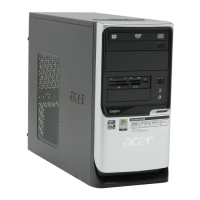
Acer Aspire T310 - User Manual

Acer Aspire T310
28 pages
Print Icon
To Next Page IconTo Next Page
Loading...
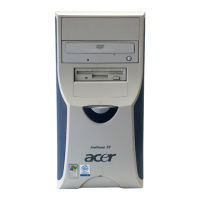
Aspire T310
User’s manual

Other manuals for Acer Aspire T310

Questions and Answers

  • S
    Sandra JonesSep 9, 2025
    What to do if Acer Aspire T310 shows Floppy Drive Write Protected error?
    • D
      Donald HenrySep 9, 2025
      If your Acer Desktop shows a 'Write Protected' error, ensure that the diskette drive is not set to [Write Protected] in the Security Options in BIOS Setup. You may also try loading default settings in Setup.
  • K
    kelsey92Sep 7, 2025
    What to do if Acer Aspire T310 Desktop floppy disk controller shows an error?
    • Z
      zleeSep 8, 2025
      If your Acer Desktop shows a Floppy Disk Controller Error, check the diskette drive cable/connection, the diskette drive, and the system board.
  • M
    Melissa WangAug 22, 2025
    What to do if Acer Aspire T310 Desktop doesn't turn on when pressing power switch?
    • S
      Sharon JohnsonAug 22, 2025
      If your Acer Desktop does not turn on when pressing the power switch, check that the power override switch (at the back of the machine, above the power cable connector) is not set to OFF. Also, inspect the power switch cable assembly.
  • V
    Veronica Grant DVMSep 5, 2025
    How to fix Acer Aspire T310 if it shows CPU Clock Mismatch?
    • D
      Dr. Alex EllisonSep 5, 2025
      If your Acer Desktop shows a CPU Clock Mismatch, enter BIOS Setup and load the default settings. Ensure the BIOS setting for the processor is set correctly.
  • D
    debralewisSep 4, 2025
    What to do if my Acer Aspire T310 hard disk drive cannot format completely?
    • S
      Sarah MartinezSep 4, 2025
      If your Acer Desktop hard disk drive cannot format completely, enter BIOS Setup and load default settings. Check the hard disk drive cable, the hard disk drive itself, and the system board.
  • G
    George ObrienSep 2, 2025
    What to do if Acer Aspire T310 shows Onboard conflict?
    • S
      Shannon FitzpatrickSep 2, 2025
      If your Acer Desktop shows an Onboard conflict, enter BIOS Setup and load the default settings. Also, remove all adapter cards that are NOT factory-installed, then reboot the system.
  • D
    David WadeSep 1, 2025
    How to resolve Acer Aspire T310 Desktop PS/2 keyboard error?
    • G
      gabriel70Sep 1, 2025
      To resolve a PS/2 keyboard error on your Acer Desktop, try re-connecting the PS/2 keyboard and mouse. You can also enter BIOS Setup and load the default settings. Check the PS/2 keyboard, PS/2 mouse, and the system board.
  • K
    kathrynalexanderAug 31, 2025
    What to do if Acer Desktop shows Equipment Configuration Error?
    • N
      Noah EdwardsAug 31, 2025
      If your Acer Desktop displays an Equipment Configuration Error, ensure the system configuration set in BIOS Setup is correct. You can also try loading the default settings in BIOS Setup. Check the RTC battery and the system board.
  • D
    Devon VaughnAug 30, 2025
    How to fix Acer Aspire T310 Desktop if it shows Real Time Clock Error?
    • B
      brandy60Aug 30, 2025
      To fix the Real Time Clock Error on your Acer Desktop, enter BIOS Setup and load the default settings. Check the RTC Battery and the System Board.
  • T
    Teresa MillerAug 28, 2025
    What to do if my Acer Aspire T310 Desktop shows PCI Device Error?
    • S
      Suzanne RobinsonAug 28, 2025
      To fix a PCI Device Error on your Acer Desktop, load default settings in Setup. Additionally, enter BIOS Setup, set the Reset Resource Assignments of the PnP/PCI Options to Yes, then reboot the system. Removing all non-factory installed adapter cards before rebooting can also help.

Summary

System Tour

Front Panel

Details the components and connectors on the front of the computer, illustrated with numbered labels.

Rear Panel

Illustrates and labels the various ports and components located on the rear of the computer.

System Features

Connectivity

Outlines the various ports, USB capabilities, and network interfaces for connecting devices.

System Peripherals

System Upgrade

Setting Up Your Computer

Preparation for Setup

Covers essential pre-setup considerations including location selection and package opening.

Connecting Peripherals

Details the process of connecting all external devices and peripherals before powering on.

Starting and Shutting Down

Provides instructions for powering on the computer and properly shutting it down.

Troubleshooting

Taking Care of Your Computer

Acer Aspire T310 Specifications

General IconGeneral
BrandAcer
ModelAspire T310
CategoryDesktop
LanguageEnglish

Related product manuals