EasyManua.ls Logo

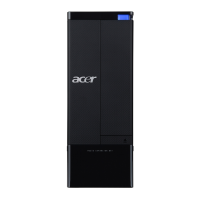
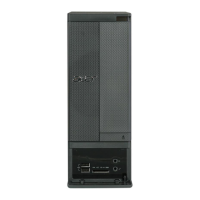
Acer Aspire X1930 - User Manual

Acer Aspire X1930
113 pages
Print Icon
To Next Page IconTo Next Page
Loading...
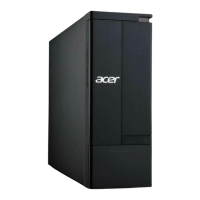
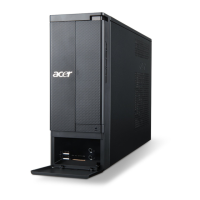
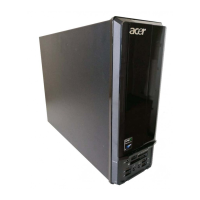
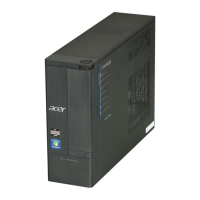
Aspire AX1930
Desktop Computer Service Guide
PRINTED IN TAIWAN

Questions and Answers

  • A
    andrewdiazAug 17, 2025
    What to do if Acer Desktop system will not power on?
    • W
      Whitney HarrisAug 17, 2025
      If your Acer Desktop system won't power on, first, check if the power cable is properly connected to both the AC power jack and a working AC power source. Also, verify that the voltage selector switch is set to the correct voltage.
  • J
    Jasmin PrattAug 20, 2025
    What does it mean when my Acer Desktop says 'S.M.A.R.T. Status BAD, Backup and Replace'?
    • J
      Jacqueline Mccarthy MDAug 20, 2025
      This message from your Acer Desktop indicates that a S.M.A.R.T. capable hard disk has detected an imminent failure. It's crucial to back up your data and replace the hard drive as soon as possible to prevent data loss.
  • M
    markbestAug 23, 2025
    What to do if Acer Aspire X1930 shows 'Reboot and select proper boot device or Insert boot media in selected boot device'?
    • J
      Joel DudleyAug 23, 2025
      This message on your Acer Desktop means that the BIOS couldn't find a bootable device, or the removable media drive doesn't contain any media. Ensure that your boot device is properly selected in the BIOS settings and that any removable media you're trying to boot from is bootable.
  • K
    Kevin CarterAug 26, 2025
    What to do if Acer Desktop shows CMOS Checksum Bad error?
    • M
      Melissa ChapmanAug 26, 2025
      The 'CMOS Checksum Bad' error on your Acer Desktop indicates that the CMOS contents failed the Checksum check. This typically means the CMOS data has been altered or the CMOS isn't retaining data. You can usually resolve this by using AMIBIOS Setup.
  • B
    Barbara HamiltonAug 28, 2025
    What to do if Acer Aspire X1930 Desktop shows CMOS Settings Wrong error?
    • J
      joserogersAug 28, 2025
      If your Acer Desktop displays a 'CMOS Settings Wrong' error, it means the CMOS settings are invalid. You can resolve this issue by using the AMIBIOS Setup.
  • T
    tara52Aug 31, 2025
    What does 'Boot Failure' mean on my Acer Aspire X1930?
    • R
      Robert MorrisAug 31, 2025
      A 'Boot Failure' message on your Acer Desktop indicates that the BIOS could not boot from a particular device. This message is usually followed by additional information concerning the device.
  • I
    ipalmerSep 2, 2025
    How to fix CMOS Date/Time Not Set error on Acer Aspire X1930?
    • P
      Paula BoyleSep 2, 2025
      If your Acer Desktop displays a 'CMOS Date/Time Not Set' error, it means the CMOS date and/or time are invalid. You can fix this by readjusting the system time in AMIBIOS Setup.
  • N
    Nathaniel MurilloSep 5, 2025
    What does it mean if my Acer Desktop says 'CMOS Battery Low'?
    • D
      David PattonSep 5, 2025
      The 'CMOS Battery Low' message on your Acer Desktop usually indicates that the CMOS battery needs to be replaced.
  • N
    Noah HarrisonSep 8, 2025
    Why does my Acer Aspire X1930 Desktop say 'Drive Not Ready'?
    • S
      Sean MaySep 8, 2025
      The 'Drive Not Ready' message on your Acer Desktop means the BIOS was unable to access the drive because it indicated it wasn't ready for data transfer. This often happens when no media is present in the drive.
  • D
    Daniel AndersonSep 12, 2025
    What does A: Drive Error mean on Acer Desktop?
    • M
      Maxwell BurnsSep 12, 2025
      The 'A: Drive Error' on your Acer Desktop means the BIOS attempted to configure the A: drive during POST but couldn't properly configure it. This may be due to a bad cable or a faulty diskette drive.

Summary

Features and Specifications

System Utilities

CMOS Setup Utility

Guide to accessing and navigating the BIOS setup utility for system configuration.

Configuring the ME Firmware

Procedure to disable the Manageability Engine (ME) firmware before BIOS updates.

Clearing CMOS

Steps to clear the CMOS data and reset BIOS configuration settings.

BIOS Recovery

Process for recovering the system BIOS from corruption or flash interruption.

System Disassembly

Disassembly Requirements

Lists the necessary tools required for disassembling the computer.

Disassembly Procedures

Step-by-step instructions for removing various computer components.

Troubleshooting

Hardware Diagnostic Procedure

Steps for initial diagnosis of hardware failures and system issues.

System Check Procedures

Guidelines for checking system power and external component connections.

System Internal Inspection

Procedure for inspecting internal system components for proper seating and connections.

Beep Codes

List of beep codes indicating system status or errors during POST.

Undetermined Problems

Troubleshooting steps for issues without clear error messages or symptoms.

Technical Specifications

Acer Aspire X1930 Specifications

General IconGeneral
BrandAcer
ModelAspire X1930
CategoryDesktop
LanguageEnglish

Related product manuals