8
Chapter 1: Setting Up
Unpacking your smartphone
Your new smartphone comes packed in a protective box. Carefully unpack the
box and remove the contents. If any of the following items is missing or
damaged, contact your dealer immediately:
• Acer beTouch E130 Smartphone
• Battery
• Quick Guide
• USB cable
• AC adapter
• Headset
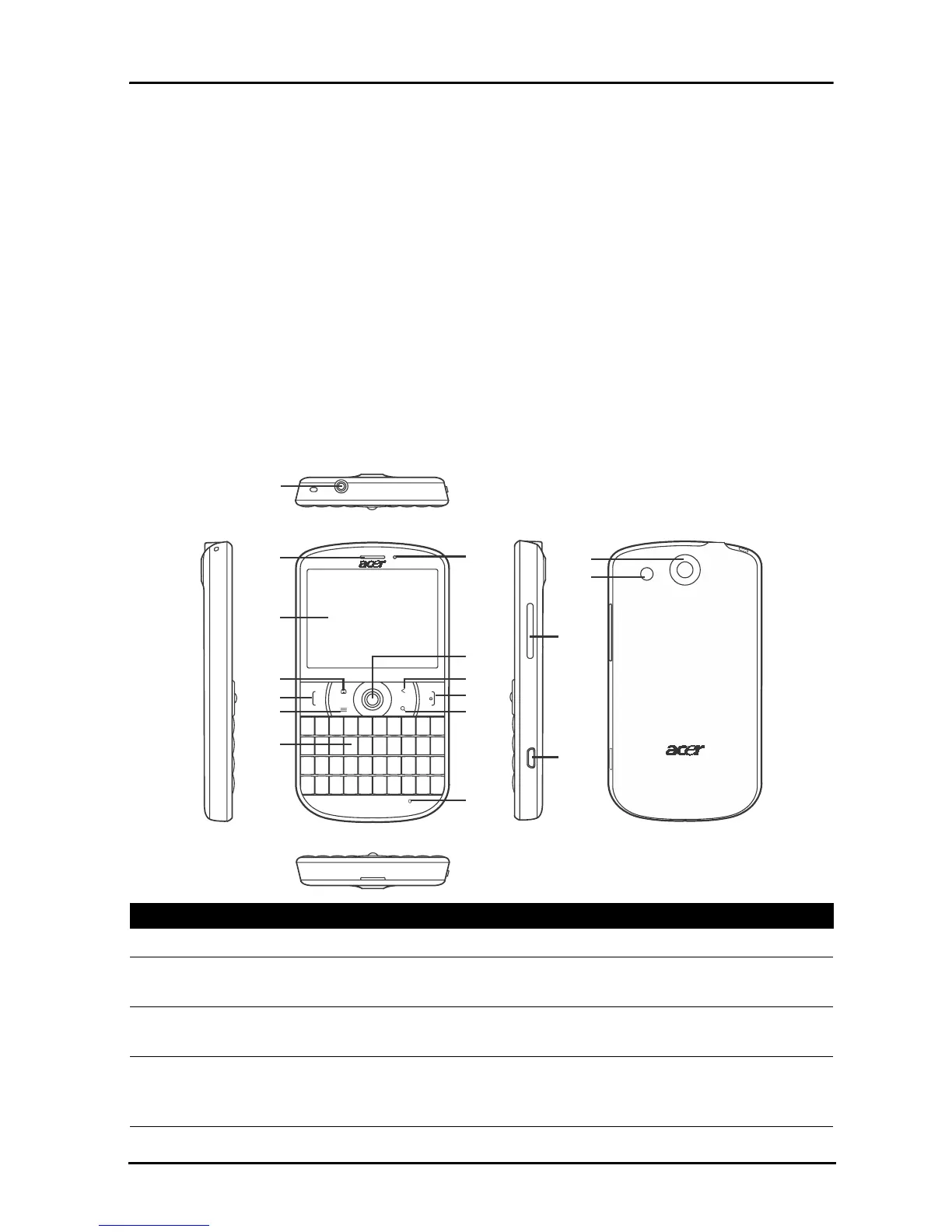
Getting to know your smartphone
Views
1
5
2
3
4
6
8
9
7
10
11
13
14
15
12
16
17
No. Item Description
1 3.5 mm headphone jack Connect to stereo headphones.
2 Phone speaker Emits audio from your smartphone; suitable for
holding to your ear.
3 Touchscreen 2.6-inch, 320 x 240 pixel resistive touchscreen to
display data, phone content and enter information.
4 Home button Return to the Home screen; press and hold to view
recently-used applications, tap an icon to open the
associated program.



 To Next Page