12 - The Chrome OS Desktop
THE CHROME OS DESKTOP
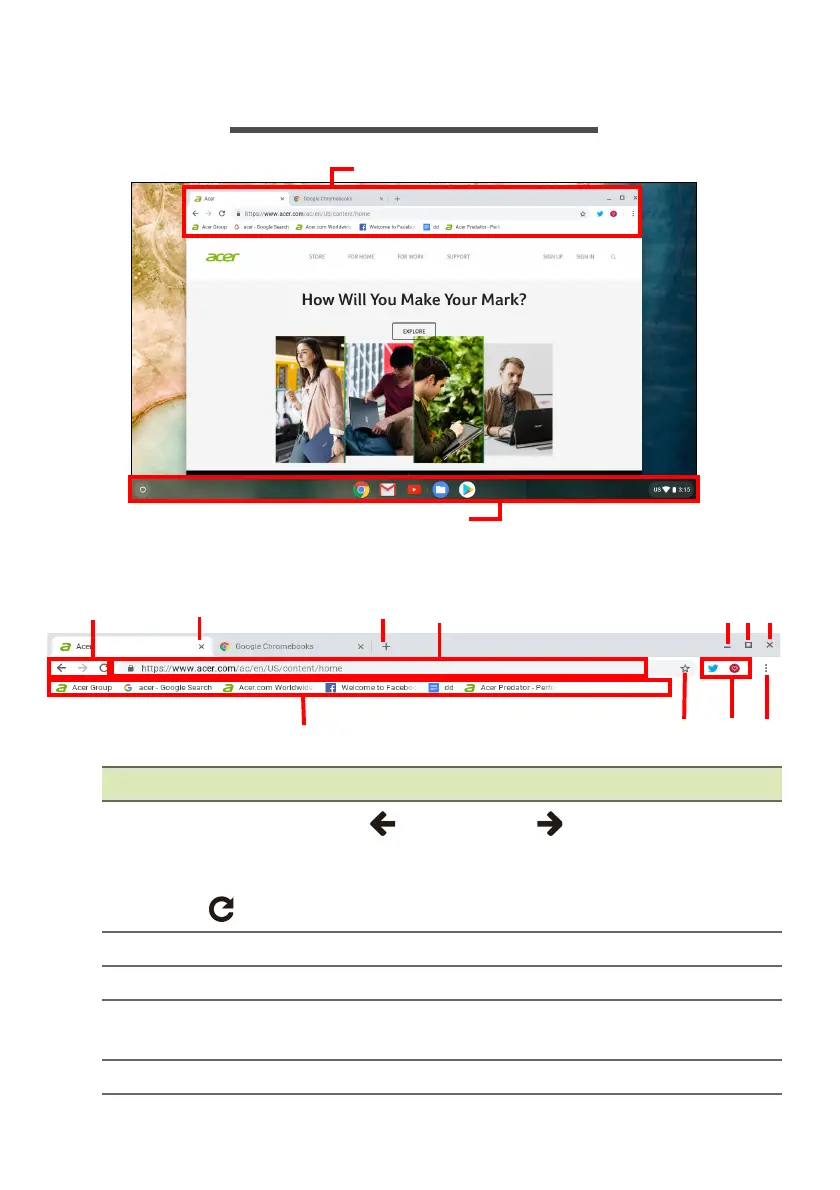
Window controls
Number Description
1
Goes Backward
and Forward in the current web
browsing sessions’s history (closing and reopening the
Chrome bro
wser begins a new session). Select to Reload
the current webpage.
2 Closes a tab.
3 Opens a new tab.
4
Type a web address or perform an internet search in this
search box (also known as the "omnib
ox").
5 Minimizes the win
dow into the desktop shelf.




 To Next Page