English
15
SCREEN POSITION ADJUSTMENT
In oder to optimize the best viewing position, you can adjust the tilt of the monitor.
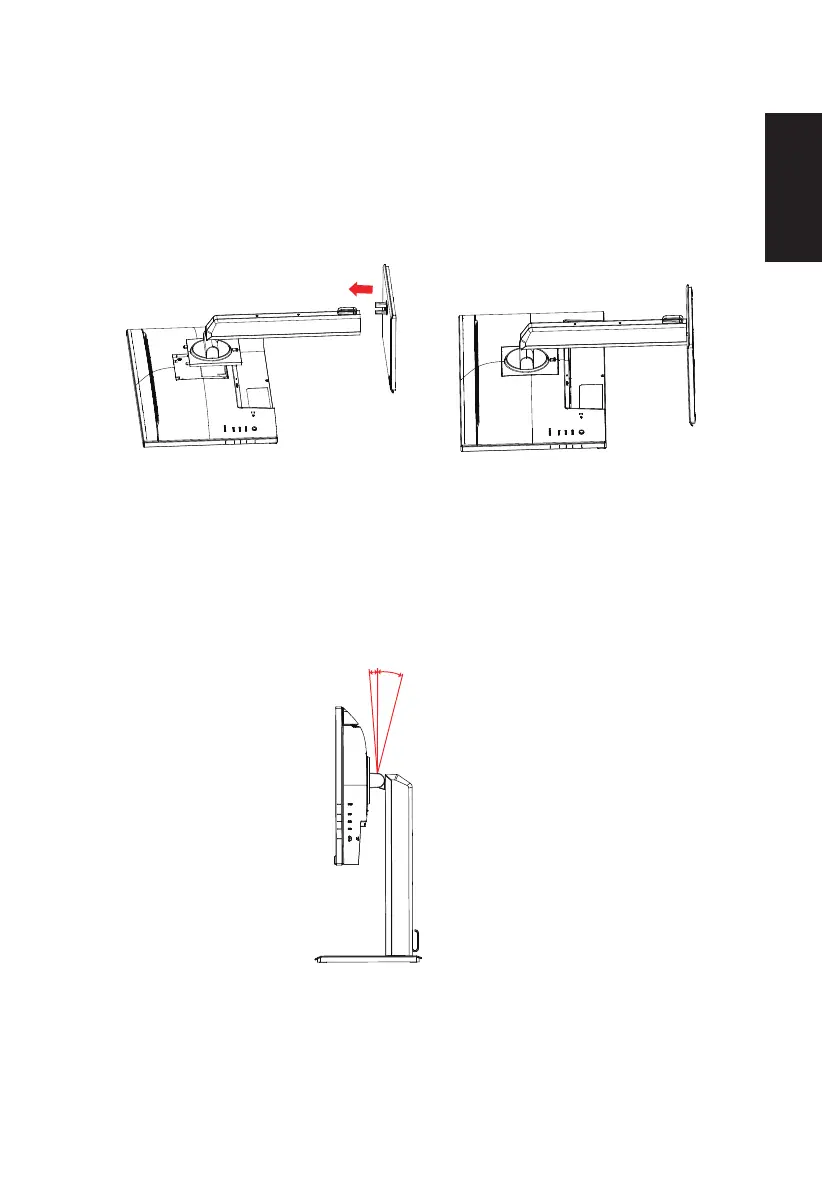
• Attaching the Base
Note: Remove the monitor and monitor base from its packaging.Carefully place the monitor
face-down on a stable surface -- use a cloth to avoid scratching the screen.
• Tilt
Please see the illustration below for an example of the tilt range.
Only at the highest point can 35 degrees of recline be oered for the angle of elevation.
-5°
35°



 To Next Page