System
Mode - Standard
HDMI
Picture
Color
Input
Full
Hot Key Assignment
DDC/CI
Wide Mode
On
On
Auto Source
Enter
Move
OSD
System
Save Sengs to...
Audio
Pertormance
Mode - Standard
Picture
Color
Off
Power-off
USB change
Enter
Move
OSD
System
Save Sengs to...
Audio
Pertormance
X
X
HDMI Black Level Normal
Quick Start Mode
Off
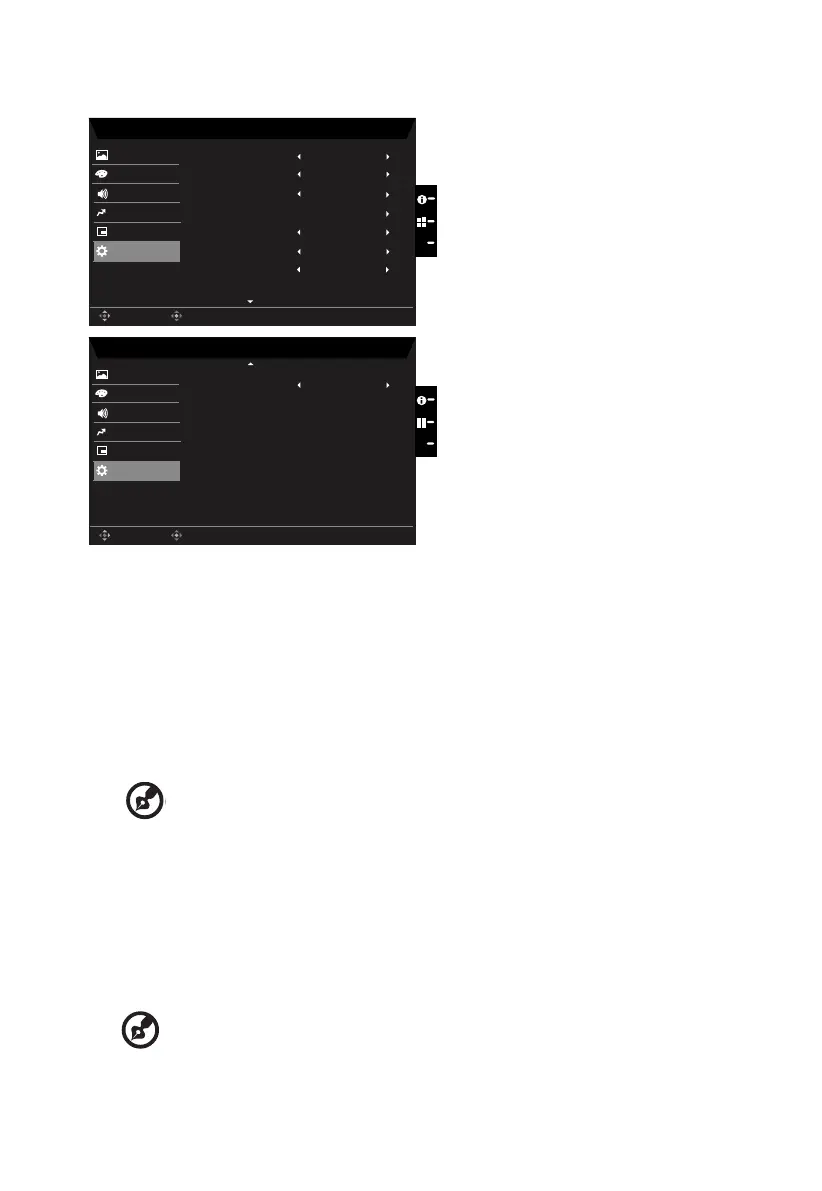
1. Press the MENU key to open the OSD.
2. Toggle the joystick to the up or down to select System from the OSD.Then toggle to the
right to
navigate to the element you wish to adjust and press the joystick to enter it.
3. Toggle to the left or right to adjust the sliding scales.
4. Input: Select the source from HDMI or DP ALT.
5. Auto Source: The default is “On”, which can support auto search for signal source in
order.
----------------------------------------------------------------------------------------------------------
Note:
Surround application must set Auto Source is “O”.
6. Wide mode: You can select which screen aspect you are using. The options are
Aspect, Full, 1:1 and 21:9.
7. Hotkey Assigment: Hot Key 1 and Hot Key 2 can’t repeat the same function. Hot Key
1 default is (Modes), Hot Key 2 default is (Brightness). Because some functions limit
the Hot Key to be gray out and unavailable. Hot Key can dene of: (Modes, Brightness,
Volume, Gamma, Contrast, Low Blue Light, Over Drive,VRB).
8. DDC/CI: Allows the monitor settings to be set through the software on the PC.
-----------------------------------------------------------------------------------------------------------
Note:
DDC/CI, short for Display Data Channel/Command Interface, which allows
monitor controls to be sent via software.
9. HDMI Black level setting.



 To Next Page