English
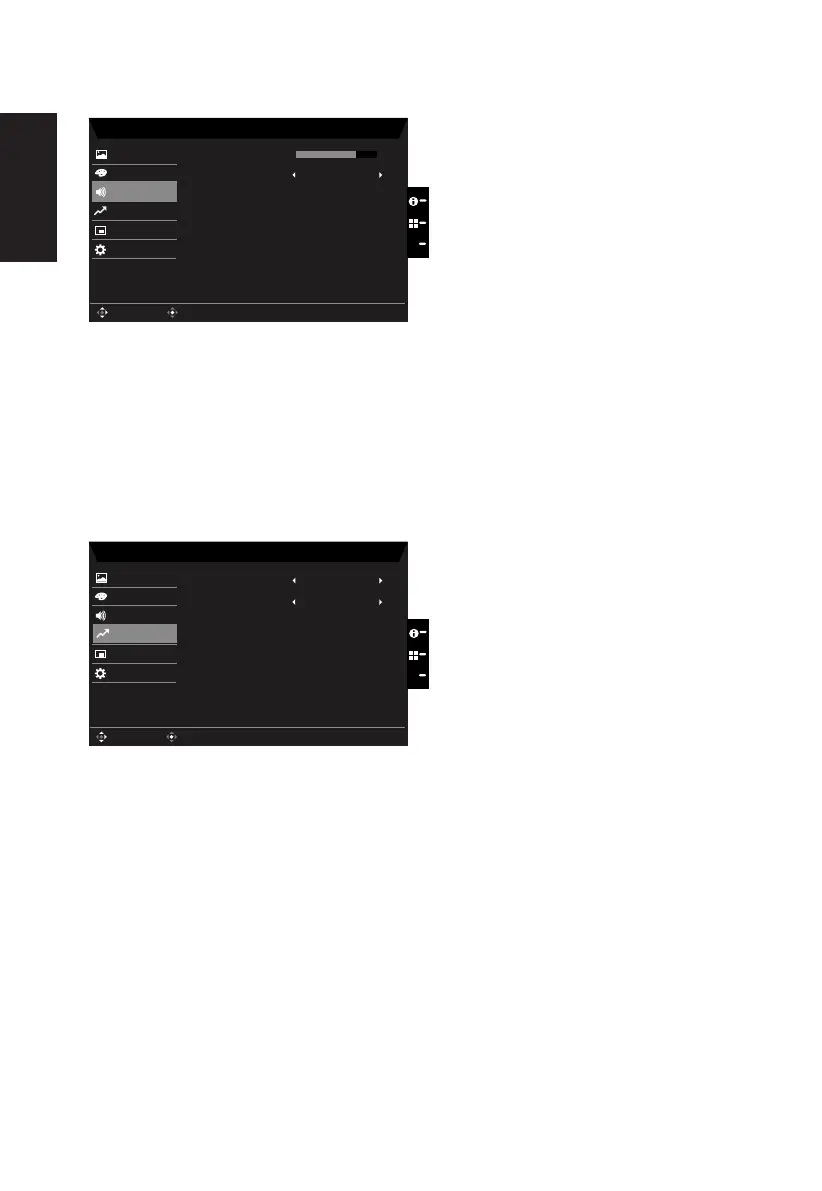
Audio
Mode - Stardard
70
Off
OSD
System
Mute
Picture
Color
Volume
Audio
X
Enter
Move
Performance
1.
2. Toggle the joystick to the up or down to select Audio from the OSD.Then toggle to the
right to
navigate to the element you wish to adjust and press the joystick to enter it.
3. Toggle to the left or right to adjust the sliding scales.
4.
Mute:To choose mute on/off .
Performance
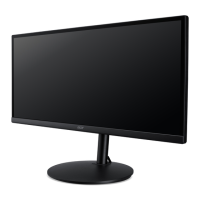
Mode - Standard
OSD
System
Picture
Color
Over Drive
Audio
Normal
Off
FreeSync
Enter
Move
X
Performance
1.
2. Toggle the joystick to the up or down to select Gaming from the OSD.Then toggle to
the right to
navigate to the element you wish to adjust and press the joystick to enter it.
3. Toggle to the left or right to control functions.
4.
Freesync:To choose Freesync on/off.



 To Next Page