Apps
16
Sync files from Downloads to Google Drive
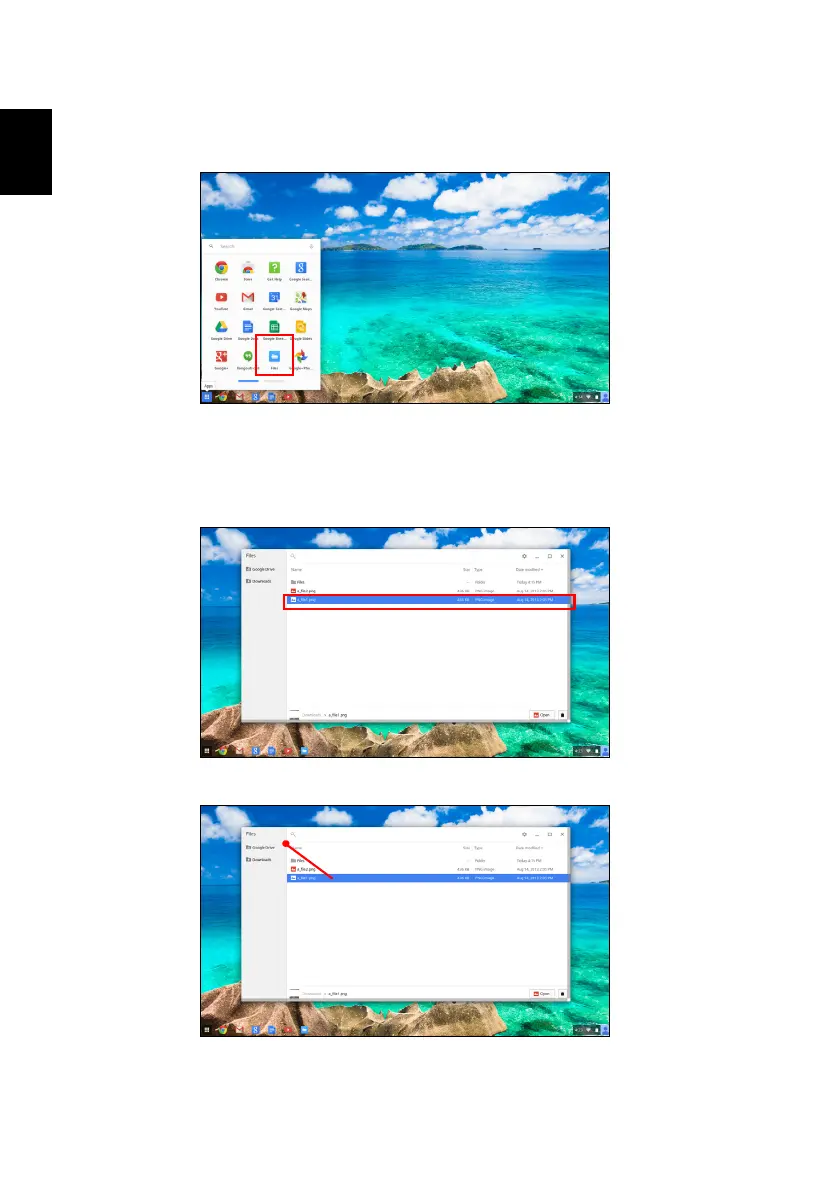
1. In the Apps list, click on the Files icon.
2. If this your first time accessing your Google Drive, click on the Google
Drive icon to enable access.
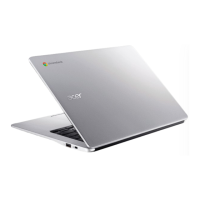
3. Once your Google Drive is enabled, select the files that you want to
upload.
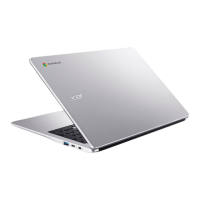
4. Drag-and-drop the files on to Google Drive.




 To Next Page