1.2 System Requirements
This Acer Connect M5 is compatible with WiFi devices which support 2.4GHz (802.11 b/g/n/ax)
or 5GHz (802.11 a/n/ac/ax) and have a web browser.
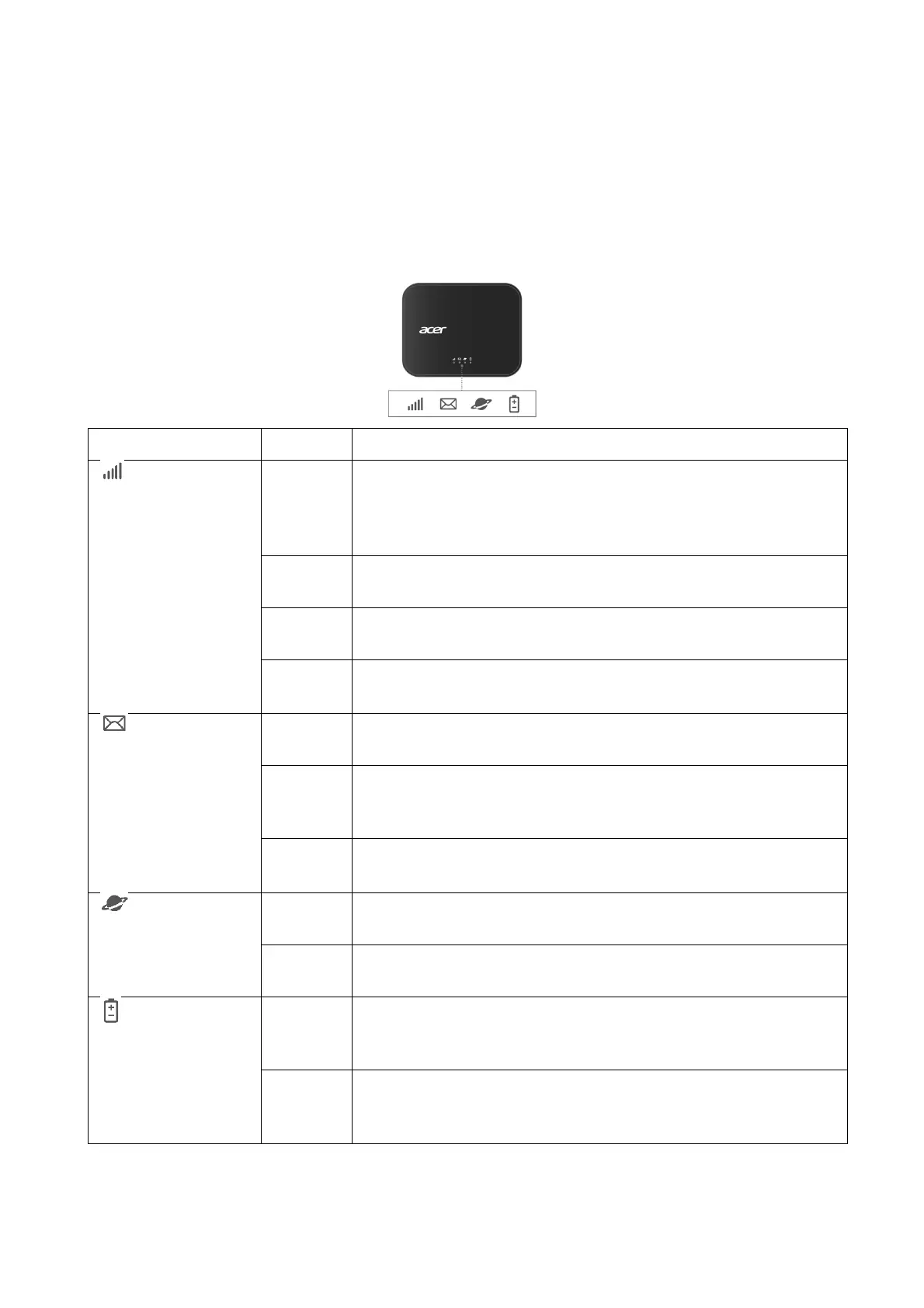
1.3 Device description
1.3.1 Top View (LED Indicators)
No coverage or no SIM
Check your SIM card is inserted in the SIM slot with gold
contacts facing upwards. If the indicator remains red, there is
still no signal coverage.
4G signal
Your Acer Connect M5 is connected to the 4G network.
5G signal
Your Acer Connect M5 is connected to the 5G network.
Starting up
Your Acer Connect M5 is starting up.
No unread messages
All SMS messages have been read.
Unread messages
A new SMS message has been received. Check your SMS
inbox in the Web UI.
Inbox is full
You can delete messages via the SMS inbox in the Web UI.
Internet data disconnection
The internet is disconnected.
Internet data connection
The internet is connected.
The power is off
The Acer Connect M5 power is off. A green light will appear
once you press the power button on.
Your Acer Connect M5 is powered on
The green light shows the power is on, and the battery level is
between 21% to 100%.



 To Next Page