User’s Manual >>
E-25
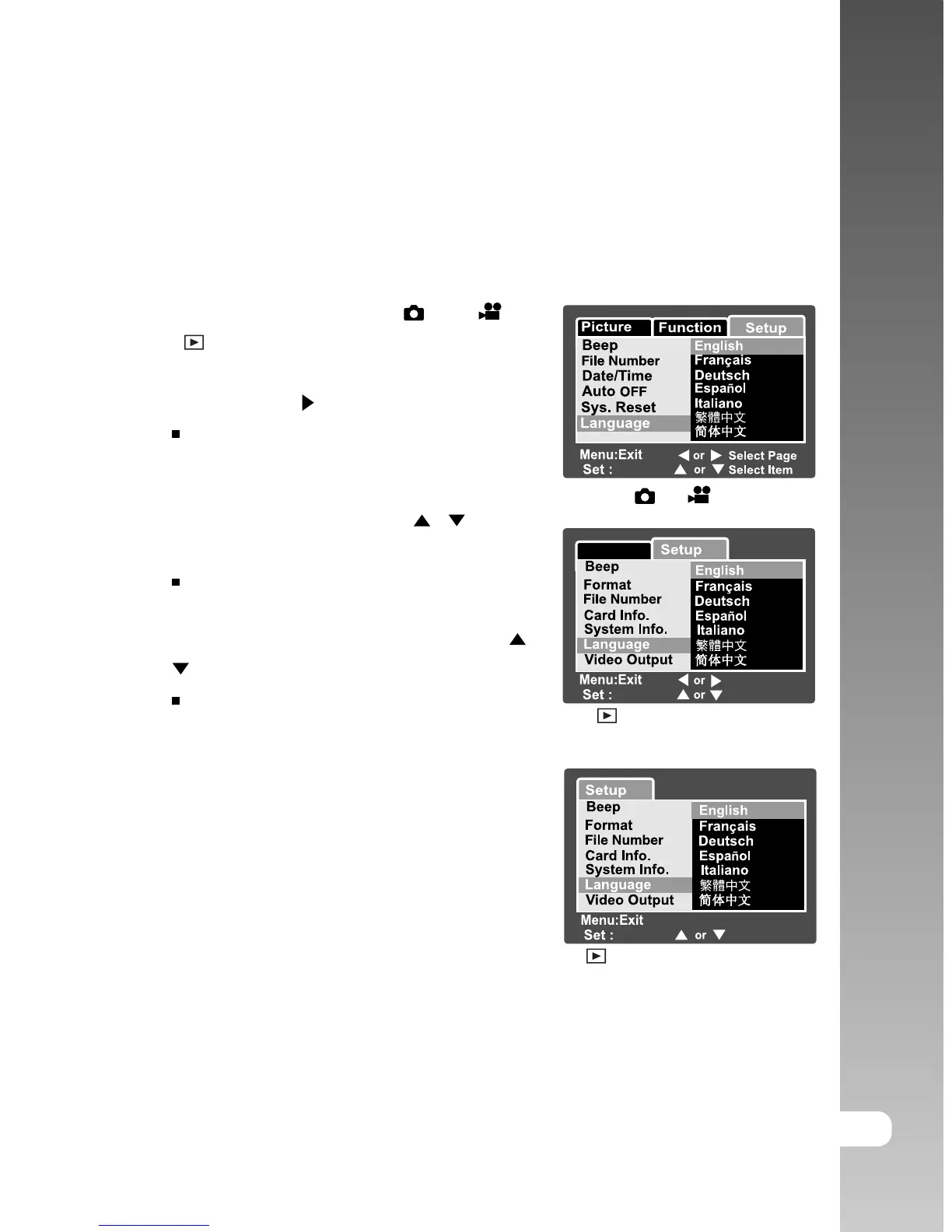
Choosing the Language
Specify in which language menus and messages are to be displayed on the
LCD monitor.
1. Slide the mode switch to [
] or [ ] or
[ ].
2. Press the MENU button and select [Setup]
menu with the button.
If no images/video clips are recorded on
the SD card, press the MENU button and
then [Setup] menu is displayed.
3. Select [Language] with the / buttons
and press the SET button.
The Language setting screen will be
displayed.
4. Select the displayed language with the /
buttons and press the SET button.
The setting will be stored.
Adjust
Adjust
Play
Select Item
Select Page
Adjust
Select Item
[ ] / [ ] Mode
[ ] Mode with Images/Video
Clips on SD card
[ ] Mode without Images/Video
Clips on SD card



 To Next Page