User’s Manual >>
E-55
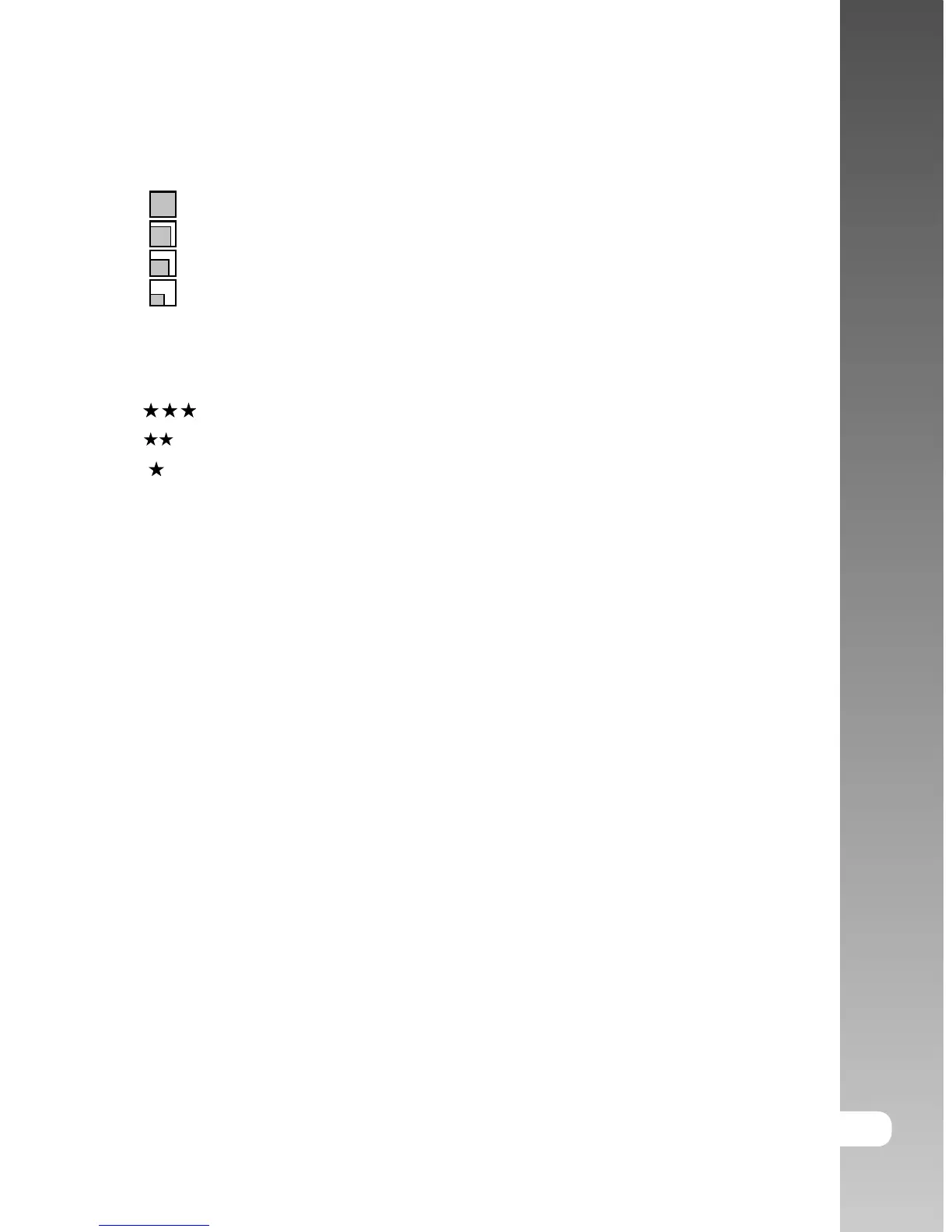
Size
This sets the size of the image that will be photographed.
[ ] 2560 x 1920: 2560 x 1920 pixels (5M)
[
] 2048 x 1536: 2048 x 1536 pixels (3M)
[
] 1280 x 960: 1280 x 960 pixels (1.2M)
[ ] 640 x 480: 640 x 480 pixels (VGA)
Quality
This sets the quality (compression rate) at which the image is taken.
[
] Fine: Low compression rate.
[
] Standard: Normal
[ ] Economy: High compression rate
Sharpness
This sets the sharpness of the image that will be photographed.
Hard: Hard touch
Normal: Normal touch
Soft: Soft touch
Contrast
This sets the difference between the bright and dark portions of the image that
will be photographed.
Hard: Increases the contrast.
Normal: Set the contrast automatically.
Soft: Decreases the contrast.
Color
This sets the color of the image that will be photographed.
Standard: Standard color
Vivid: Bright color
Sepia: Sepia
Monochrome: Black-and-white



 To Next Page