Using Your Camera
15
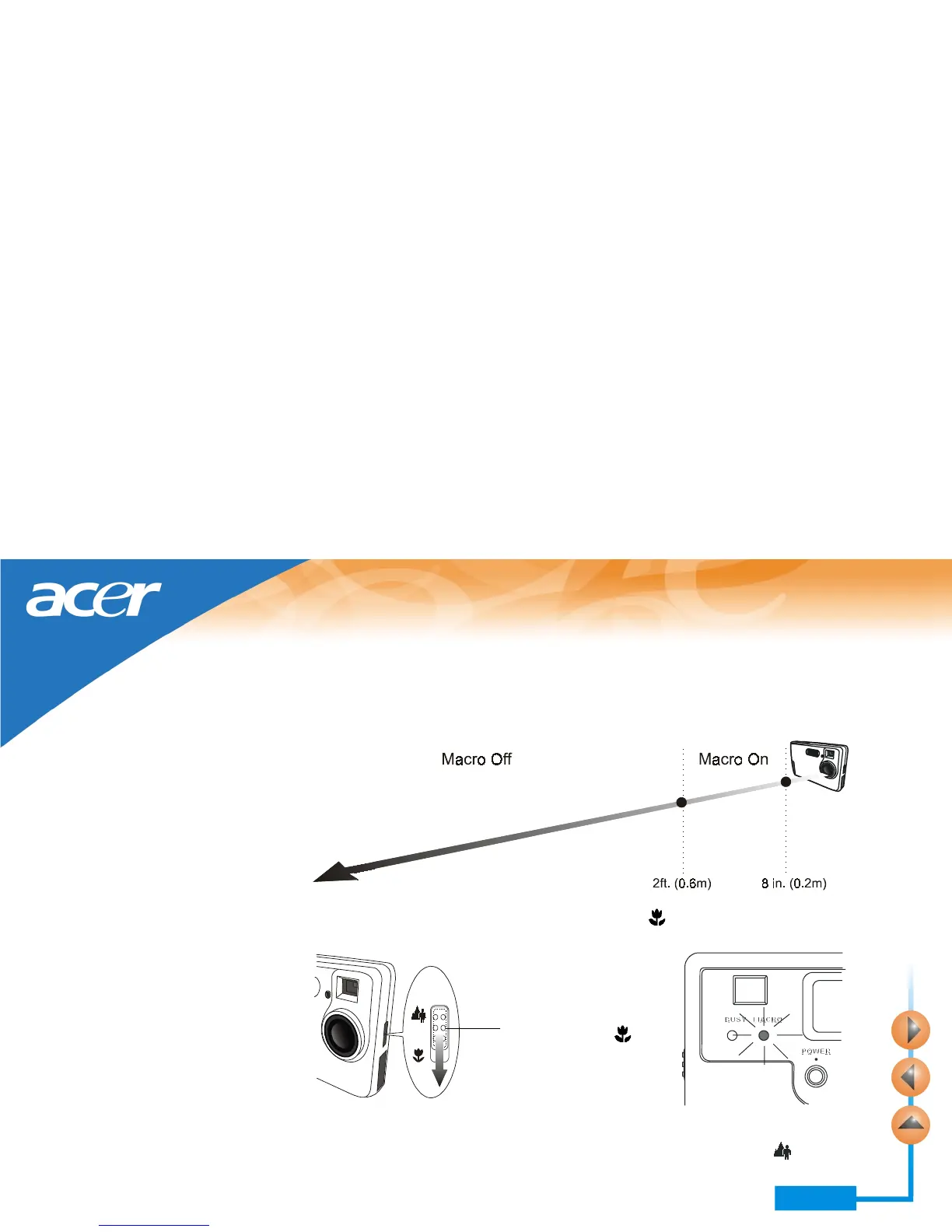
Using the macro function
If you need to shoot objects at a very close distance (from 8 inches to 2 feet), turn on
the macro function before shooting.
To turn on, slide the Macro switch to the “macro on” position. The MACRO indica-
tor will be on.
Note: If the macro function is turned on, the flash light will be disabled.
To turn off the macro function, slide the switch to the position marked
.
Slide the switch to the
position marked
.



 To Next Page