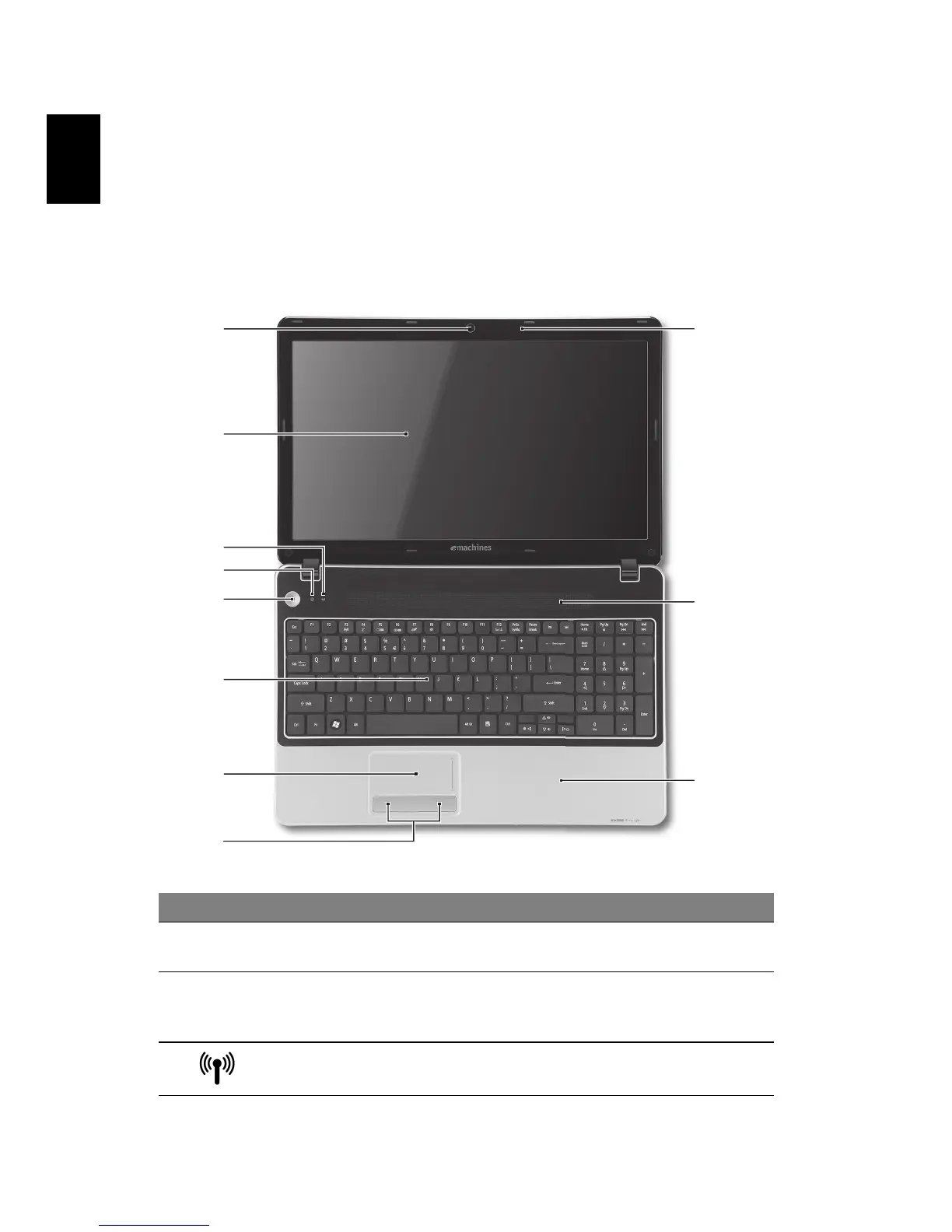
Your eMachines notebook tour
After setting up your computer as illustrated in the setup poster, let us show you
around your new eMachines notebook.
Top view
# Icon Item Description
1 Integrated webcam Web camera for video communication (only for
certain models).
2 Display screen Also called Liquid-Crystal Display (LCD),
displays computer output (configuration may
vary by model).
3 Communication
indicator
Indicates the computer’s wireless connectivity
device status.
1
2
3
4
5
6
7
8
10
11
9










 To Next Page