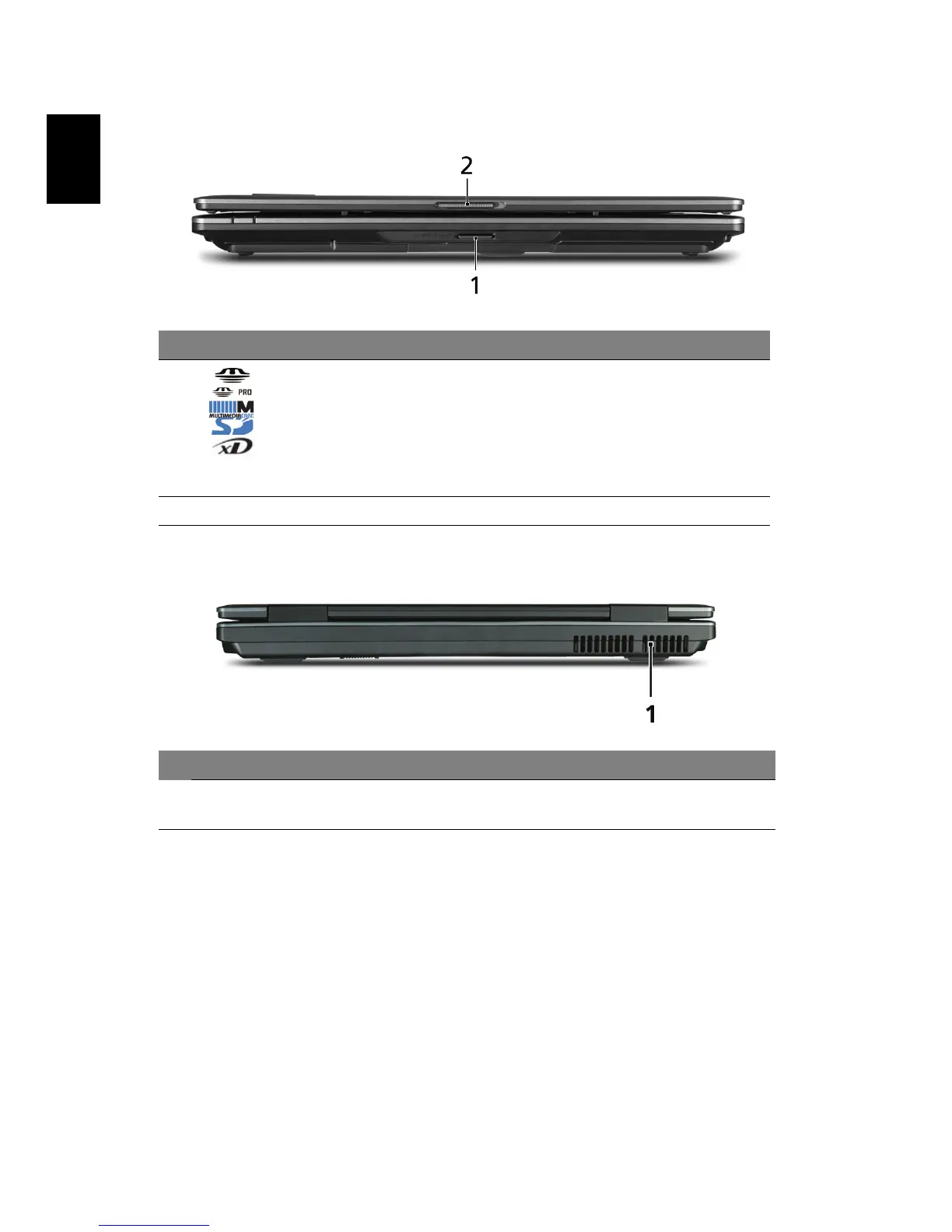
Closed front view
Rear view
# Icon Item Description
1 5-in-1 card reader* Accepts Secure Digital (SD),
MultiMediaCard (MMC), Memory Stick
(MS), Memory Stick Pro (MS PRO), and xD-
Picture Card. (only for certain models)
Note: Push to remove/install the card. Only
one card can operate at any given time.
2 Latch Locks and releases the lid.
# Item Description
1 Ventilation slots Enable the computer to stay cool, even after prolonged
use.





 To Next Page