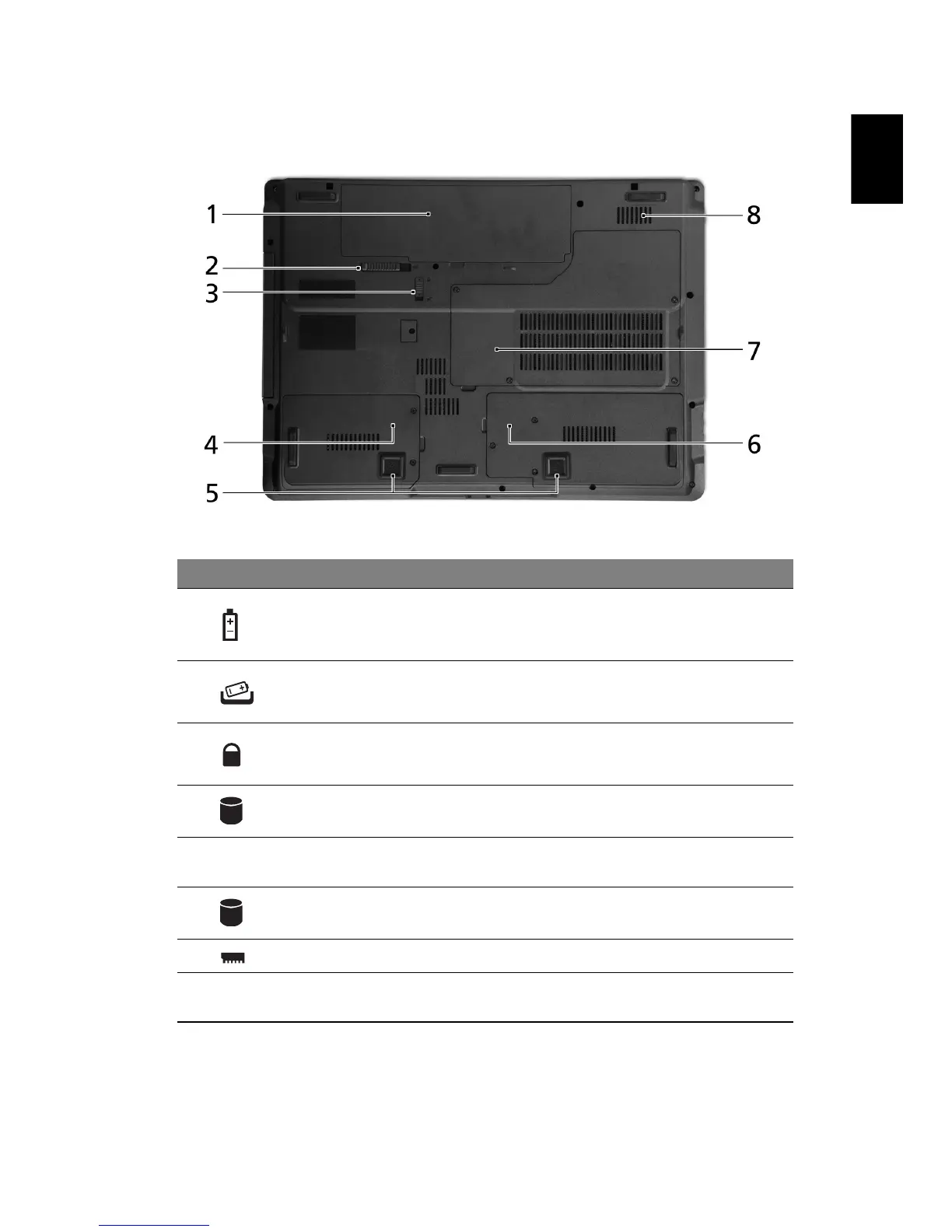
Base view
# Icon Item Description
1 Battery bay Houses the computer's battery pack.
2 Battery release latch Releases the battery to remove the
battery pack.
3 Battery lock Locks the battery in position.
4 Hard disk bay-Main Houses the computer's hard disk
(secured with screws)
5 Acer DASP (Disk Anti-
Shock Protection)*
Protects the hard disk drive from shocks
and bumps (only for certain models).
6 Hard disk bay-
Secondary*
Houses the computer's hard disk (secured
with screws) (only for certain models)
7 Memory compartment Houses the computer's main memory.
8 Ventilation slots Enable the computer to stay cool, even
after prolonged use.





 To Next Page