Attaching the base
Note: Remove the monitor and monitor base from its packaging.
Carefully place the monitor face-down on a stable surface -- use a
cloth to avoid scratching the screen.
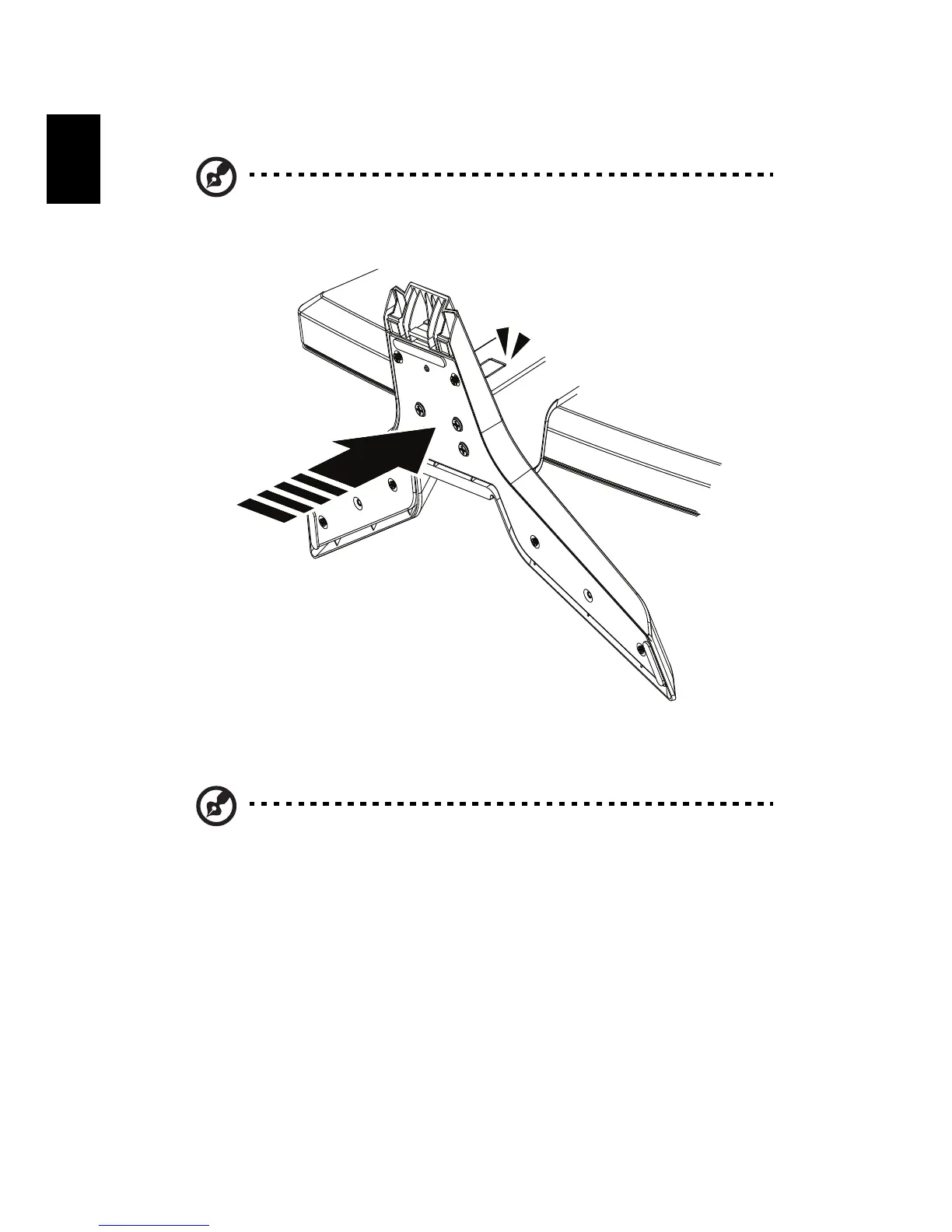
1 Attach the the monitor stand arm to the base.
2 Ensure that the base is locked onto the monitor stand arm.
Note: Take care when performing the installation to avoid
injuring yourself.



 To Next Page