EasyManua.ls Logo

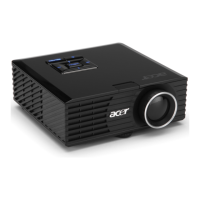
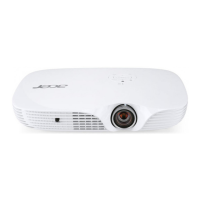
Acer K731 Series - User Manual

Acer K731 Series
61 pages
Print Icon
To Next Page IconTo Next Page
Loading...
Acer DLP Projector
PD1330W/LK-W300/EW330/
K731/FD-230/VD5310/
AWX2002/PD1530i/LK-
F300i/EF330i/K751i/FD-430i/
VD6510i/A1P2001 Series
User's Guide
Copyright © 2020. Acer Incorporated.
All Rights Reserved.
Acer Projector User's Guide
Original Issue: 09/2020

Questions and Answers

  • U
    ubaileyAug 19, 2025
    What to do if Acer Projector image is too small or too large?
    • A
      Amy NguyenAug 19, 2025
      If the image from your Acer Projector is too small or too large: * Adjust the zoom lever on the top of the projector. * Move the projector closer to or further from the screen. * Press "MENU" on the control panel or remote control. Go to "Image" > "Aspect Ratio" and try different settings.
  • M
    Mrs. Nicole VaughnAug 21, 2025
    How to fix Acer Projector when no image appears on screen?
    • L
      Laura BoyerAug 21, 2025
      If no image appears on the screen when using your Acer Projector, ensure all cables are correctly connected as described in the "Getting Started" section. Also, check that none of the connector pins are bent or broken and that the projector is switched on.
  • I
    imillerAug 26, 2025
    How to fix partial or incorrectly displayed image on Acer K731 Projector (for notebooks)?
    • M
      Maria MillerAug 26, 2025
      To fix an incorrectly displayed image on your Acer Projector when connected to a notebook: * Follow the steps for item 2 to adjust the resolution of your computer. * Press the toggle output settings. Example: [Fn]+[F4], Compaq [Fn]+[F4], Dell [Fn]+[F8], Gateway [Fn]+[F4], IBM [Fn]+[F7], HP [Fn]+[F4], NEC [Fn]+[F3], Toshiba [Fn]+[F5] * If you experience difficulty changing resolutions or your monitor freezes, restart all equipment including the projector.
  • R
    Ronald VaughnAug 28, 2025
    Why is the screen of the notebook computer not displaying my presentation on Acer K731 Projector?
    • F
      Frank GambleAug 28, 2025
      If the screen of the notebook computer is not displaying your presentation on Acer Projector: * If you are using a Microsoft® Windows® based notebook: Some notebook PCs may deactivate their own screens when a second display device is in use. Each has a different way to be reactivated. Refer to your computer's manual for detailed information. * If you are using an Apple® Mac® OS based notebook: In System Preferences, open Display and select Video Mirroring "On."
  • M
    Ms. Valerie Sutton DVMAug 30, 2025
    What to do if Acer K731 image is out of focus?
    • L
      Laura EvansAug 30, 2025
      If the image on your Acer Projector is out of focus, adjust the focus settings. Also, ensure the projection screen is within the required distance.
  • U
    uriveraSep 1, 2025
    How to correct slanted sides on Acer K731 image?
    • M
      Mark ThompsonSep 1, 2025
      To correct slanted sides on your Acer Projector image: * If possible, reposition the projector so that it is centered on the screen and below the bottom of the screen. * Press the Keystone correction keys on the control panel or remote control until the image becomes square. * Press "MENU" on the control panel or remote control to open the OSD menu. Go to "Image" > "H/ V Keystone" or "Image" > "4 Corner Correction" to make adjustments.
  • E
    Emily BrownSep 4, 2025
    Why is my Acer K731 Projector image unstable or flickering?
    • M
      Michael DodsonSep 4, 2025
      If your Acer Projector image is unstable or flickering, change the display color setting on your computer.
  • H
    hillashleySep 6, 2025
    Why does my Acer K731 image have a vertical flickering bar?
    • A
      Andrew JacksonSep 6, 2025
      If your Acer Projector image has a vertical flickering bar, check and reconfigure the display mode of your graphics card to make it compatible with the projector.
  • O
    omillerSep 9, 2025
    What to do if Acer K731 Projector stops responding to all controls?
    • O
      ojacksonSep 9, 2025
      If your Acer Projector stops responding to all controls: * Turn off the projector, then unplug the power cord and wait at least 30 seconds before reconnecting power. * Make sure that the control panel lock function is disabled.
  • K
    Kenneth LinSep 12, 2025
    How to resolve reversed image on Acer Projector?
    • J
      James AdamsSep 12, 2025
      To resolve a reversed image on your Acer Projector, select "Image" > "Projection Mode", "Image" > "Projection Location" on the OSD and adjust the projection direction.

Acer K731 Series Specifications

General IconGeneral
CategoryProjector
BrandAcer
SeriesK731 Series
Display TechnologyDLP
Native Resolution1024 x 768 (XGA)
Brightness4000 ANSI Lumens
Projection Size30" to 300"
Input PortsHDMI, VGA

Related product manuals